6
OPERATION INSTRUCTIONS
1. Depress ON/ZERO button.
2. Wait until “0.0” appears on display.
3. Step on scale.
Weighing Quick-Start
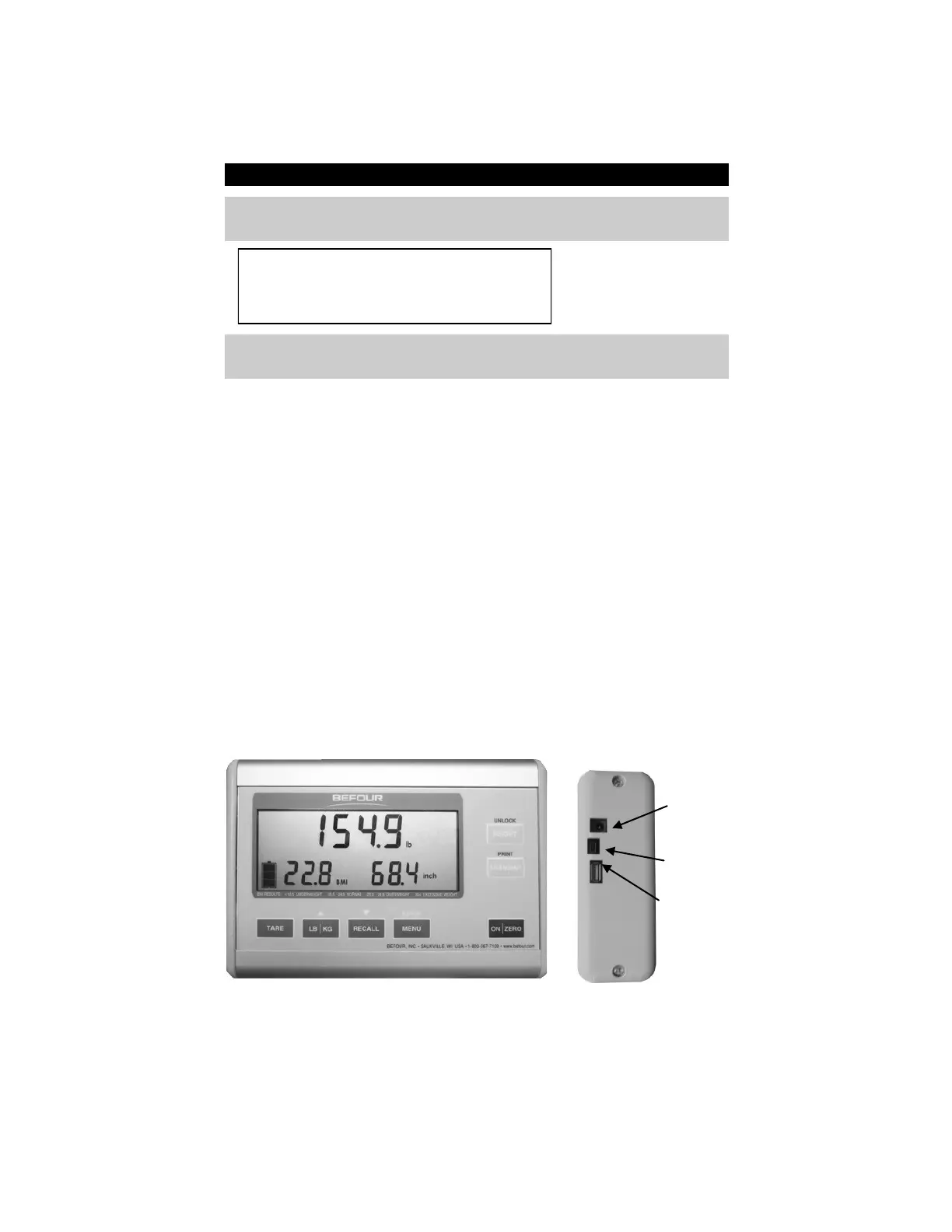
Console Keypad
The CX7 console has seven buttons. Note that some buttons perform more than
one function.
ON/ZERO: Depress to turn scale on or reset to zero.
MENU: Depress for advanced functions such as programming the clothing
deduction for the Pro-BMI calculation.
RECALL: Depress after the subject has stepped off the scale to recall weight.
“PRIOR WT” displays on the console and locks the scale so that no
further weighing can take place. While a person or object (> 6 lbs.)
is on the scale platform, depress RECALL to reweigh the subject.
LB/KG: Depress to switch between pounds mode and kilograms mode.
TARE: Depress to activate the Tare function which will subtract the weight of
the person or object on the scale.
HEIGHT: Depress to lock-in weight and to enter height value via keypad. BMI
will display automatically.
TRANSMIT: Transmit data to a computer. With optional equipment, the scale can
send data to a printer or to a wireless device.
AC Port
Data Port
Platform Port
Figure 4: Display Console



 To Next Page