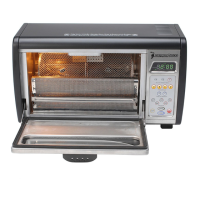
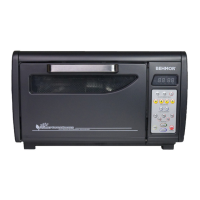
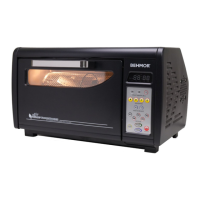
V7.4 Plus OP-L
Part 3: System Preparation, Start-up and Programming
System Check: To insure all functions are working properly press each button within each group in the following order:
Press all “Weight” buttons starting with ¼, ½, to 1, noting time in the display changes.
Press the “Profiles” buttons starting with P1 through P5, noting changes on the display.
Press Programs A through D, again noting display changes.
Press each time increment (+ then -), Light, Cool, then OFF.
Start will be tested in the next step.
Failure to perform this test in the proper sequence, as noted above, could give the false impression the C and D buttons are not
functioning.
Preparing the Behmor 1600 Plus for first Use: Before the first time you use your roaster, remove the cleaning brush from the
roasting drum, remove stray pieces of packing material from the roasting chamber, and clean the interior with a moist cloth.
Press:
This procedure, also referred to as a dry burn, is necessary to help eliminate any residue left in the roaster during the manufacturing
process while also serving to “season” the roaster and door gasket. During the first few roasts you may see some very faint smoke
from the exhaust or gasket area but this should cease as the system self-cleans, seasons and fine-tunes itself. This same procedure is
used for periodic system self-cleaning coupled with Simple Green or other non-caustic, non-abrasive cleaner, as described later in
“Part 6: Maintenance.”
Getting Started: Insert ¼ pound* of green coffee beans in the roasting drum, close and make sure the roasting drum clasp is
securely in place.
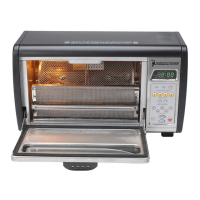
Next, carefully place the roasting drum into the roasting chamber as shown above, inserting the right end (square peg – red arrow in
diagram) into the motor drive while laying the left end (round peg with groove – blue arrow in diagram) onto the holder. You may
find the square peg requires slight rotation of the roasting drum for it to slide fully into place. You will know it is place when the left
(round) side’s groove drops into the holder’s cut away. Always double-check to insure the roasting drum is properly in place.
Install the chaff tray by gently depressing the spring loaded handle downward, slide it into the roasting chamber until it goes no
further, and release the handle. Improper placement can prevent the roasting drum from rotating properly, causing a jam. (See Chaff
Tray Instructions above for further details)
Close the roaster door ensuring it is closed tightly.
Preheat: We’ve found through testing, a more robust roast can be achieved by doing a 1:45 minute preheat** of the system. Press
any weigh and then Start. Allow the system to run for up to 1:45 minutes. Press OFF, insert roasting drum, tray and start your roast.
Remember to use caution while working around hot surfaces.
**Preheat for a maximum 1:45 minutes. Longer times can activate a safety feature that will prevent starting the roast!
* Whether new to, or experienced with roasting coffee, start off by roasting at least four ¼ pound batches on P1 to begin
developing an understanding of the subtle nuances of roasting coffee with the Behmor, including the snapping sounds and
aromas associated with a completed roast described in “Section 4: Roasting Coffee.” Once comfortable with the roaster, migrate
to a few ½ pound roasts and finally to 1 pound roasts if you desire. Always remember to think about where your roast will be in
15 seconds as well use our Key Tip (#3) found in “Part 5: Tips.” NEVER START with quantities above ¼ lb when first getting
to know the roaster !!!


 To Next Page
 Loading...