Battery Setup and Charging
Battery Setup
a. (Image 1) Connect the Micro USB cable to battery holder USB port.
Connect the other end of the cable to a 5V USB power source with
1.5 to 2A. When green light on the battery holder glow, it indicates
power supply to battery holder is in good order.
b. Be sure to install battery into the holder with positive side facing
upwards in the battery holder. (Image2)
Red: Battery being charged
Red/Green: Battery charging finishing
Green: Fully charged
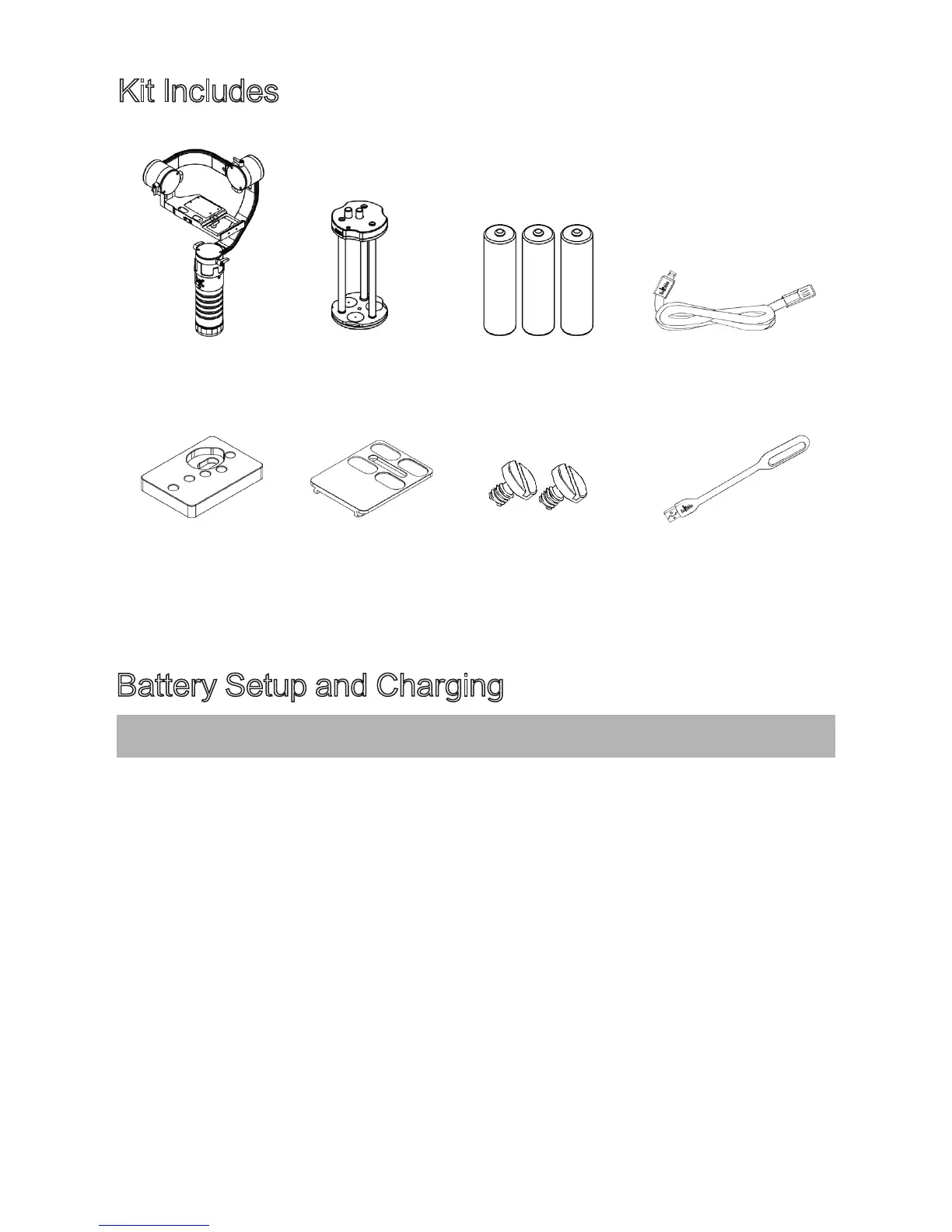
Kit Includes
DS1 Main Body
Special adaptor
for hard to balance
camera
Quick Release Plate
1/4" Screws x 2
USB- LED Light
Battery Holder
18650 Batteries x 3
Micro USB
Charging Connection
3
© 2015 Beholder All Rights Reserved


 To Next Page