11
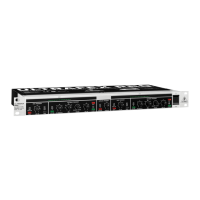
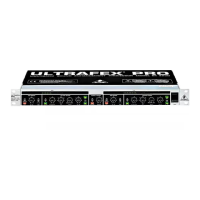
ULTRAFEX PRO EX3200
4.2 The bass processor section
9 10 11
Fig. 4.3: Controls of the bass processor section
9
The SHIFT switch determines the cut-off frequency of the bass processor. Depending on the program
material, you can select between Low and Ultra-low.
10
The LOW MIX control of the low band determines the amount of signal used for sound enhancement
(from zero to six). The setting depends on the application you are addressing.
11
With the MODE switch you can define the sound effect of the bass processor. If the switch is on (Tight)
the bass will sound dry and punchy, whereas the released switch mode (Soft) creates a warm and
full bass.
+ Please note that the bass processor should be set carefully to avoid possible speaker damage.
Most near-field monitors are not capable of handling the bass produced by the ULTRAFEX PRO.
4.3 Surround processor section
1312
Fig. 4.4: Controls of the surround processor section
12
With the SURROUND switch you can activate the surround section. Please note that this switch has to
be released if you want to process two separate input signals. Otherwise there will be undesired
cross-talk between the two channels.
13
The SURROUND control determines the effect of the surround processor. This function serves to
improve the intensity of the stereo effect and to enlarge the stereo basis dependent on the program
content. Therefore, this function can only be used in conjunction with stereo program material.
4. CONTROL ELEMENTS







 To Next Page