14 15Quick Start Guide
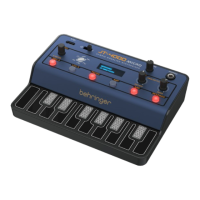
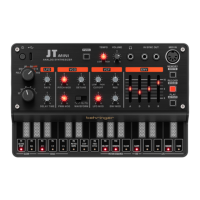
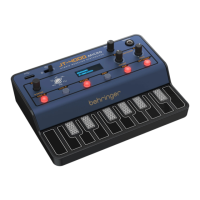
JT-4000M MICRO
8. CUTOFF – use this control to
change the cuto frequency of
the 12 dB/octave analog VCF.
Also used to adjust A parameters
in conjunction with buttons
10‑15. Please note that
parameters do not adjust
until the control has rotated
to approximately 9 o’clock, to
prevent accidental changes.
9. RESO – use this control to
adjust the resonance of the
VCF. Also used to adjust B
parameters in conjunction with
buttons 10‑15. Please note
that parameters do not adjust
until the control has rotated to
approximately 9 o’clock,
to prevent accidental changes.
Menu Selection Buttons
‑ Each option has A and B
parameters, unless ‑‑‑‑‑‑
appears against B.
10. OSC-X – pressing this button
accesses the Oscillator menu.
• OSC1 A: Wave (O, triangle,
square, PWM, saw, supersaw,
FM, noise)
OSC1 B: DETU (Detune when
supersaw wave is selected) /
FDBK (Feedback when FM is
selected)
• OSC1 A: PWM (Pulse Width
adjustment when PWM wave
is selected)
OSC1 B: ‑‑‑‑‑‑‑
• OSC1 A: Coarse (Coarse tuning
for OSC1)
OSC1 B: Fine (Fine tuning
for OSC1)
• OSC2 A: Wave (O, triangle,
square, PWM, saw, noise
OSC2 B: ‑‑‑‑‑‑‑
• OSC2 A: PWM (Pulse Width
adjustment when PWM wave
is selected)
OSC2 B: ‑‑‑‑‑‑‑
• OSC2 A: Coarse (Coarse tuning
for OSC2)
OSC2 B: Fine (Fine tuning
for OSC2)
• OSC A: Bal (balances the
signals of the two oscillators:
00 indicates only osc 1, 63
indicates only osc 2, 31 or 32
indicates an equal balance
between the two.)
OSC B: ‑‑‑‑‑‑‑‑
• PORTA A: Amount
PORTA B: Mode (Portamento or
Glissando)
• RING A: Amount (amount of
ring modulation between the
two oscillators)
RING B: Switch (switches ring
modulation on or o)
• PROG NAME EDIT (rotate the
encoder (5) to scroll through
characters, use ENTER to select
and move to the next)
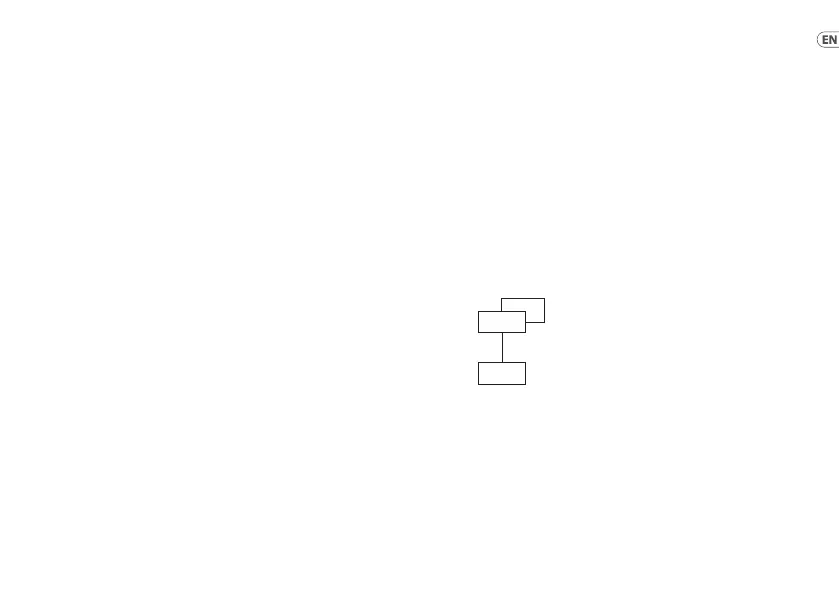
FM oscillator arrangement
Operator 1 (OSC1) is the carrier
and operator 2 (OSC2) is the
modulator with feedback
adjustable from 0 to 99%
11. LFO-X – pressing this button
accesses the LFO menu.
• LFO1 A: Wave (triangle, square,
sawtooth)
LFO1 B: Destination (VCF,
OSC, PWM (if PWM wave is
selected), Detune (If supersaw
is selected).
OP2
OP1
• LFO1 A: Speed
LFO1 B: Amount
• LFO2 A: Wave (triangle, square,
sawtooth)
LFO2 B: ‑‑‑‑‑‑‑
• LFO2 A: Speed
LFO2 B: Amount
12. FILTER – pressing this button
accesses the FILTER menu.
• VCF A: Attack (adjusts attack
time of the VCF envelope
generator from 0 to 99)
VCF B: Decay (adjusts decay
time of the VCF envelope
generator from 0 to 99)
• VCF A: Sustain (adjusts sustain
level of the VCF envelope
generator from 0 to 99)
VCF B: Release (adjusts release
time of the VCF envelope
generator from 0 to 99)
• VCF A: Amount (adjusts the
amount of EG modulation of
the VCF from 0 to 99)
VCF B: ‑‑‑‑‑‑
JT-4000M MICRO Controls


 To Next Page
 Loading...