10 GUITAR LINK UCG102 Software Installation Guide
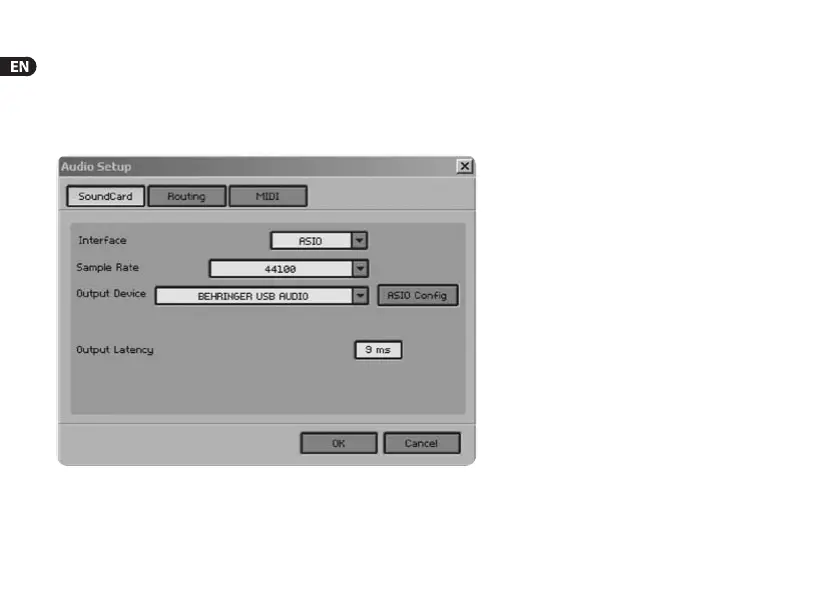
To setup the combo, proceed as follows:
1) Start the stand-alone application of a combo.
2) In the Audio Setup window, make your choice according to
thescreenshot.
3) Click on the ASIO Cong button to bring up the driver settings
dialog. See chapter “Installing the UCG102“ fordetails on how to
congurethedriver.
Fig. 2.4: Audio Setup settings






 To Next Page