17 GUITAR LINK UCG102 Software Installation Guide
3.3 Installing Audacity
Audacity is a free software for recording and editing sounds.
To install the software, proceed asfollows:
1) Double-click on “audacity.exe“ in the “Audacity“ folder.
2) Follow the on-screen instructions.
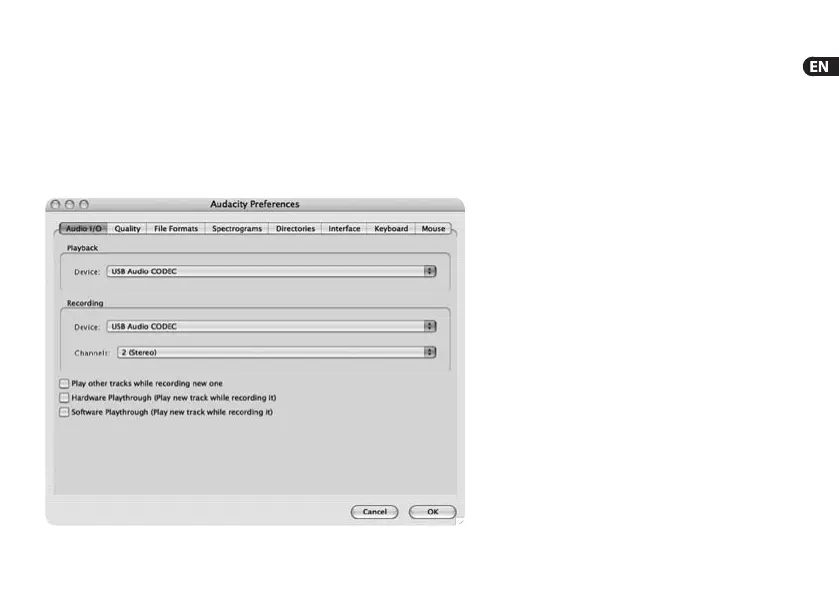
3) Start the application and go to File > Preferences.
4) In the Audio I/O tab, set the Playback and Recording devices
to USB Audio Codec.
5) Restart the application.
Fig. 3.3: Audio Setup settings






 To Next Page