16 GUITAR LINK UCG102 Software Installation Guide
To setup the combo, proceed as follows:
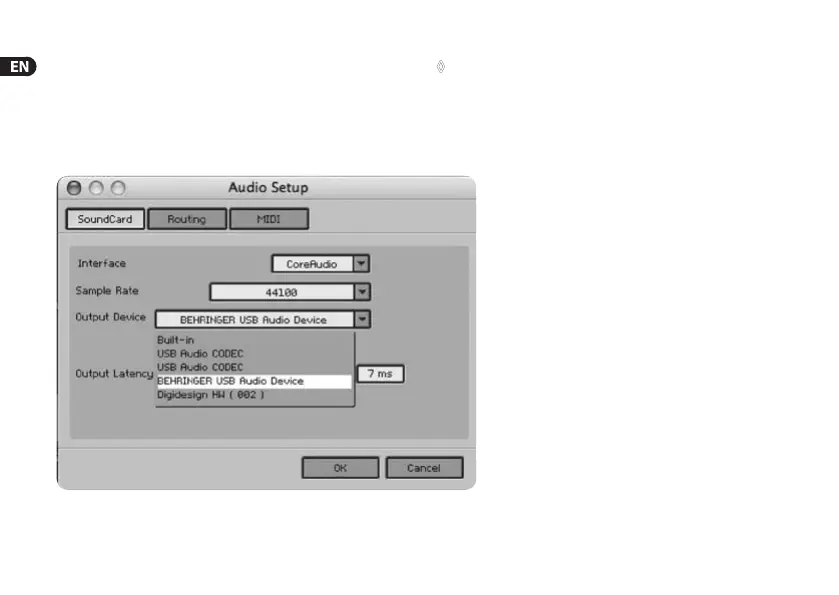
1) Start the stand-alone application of a combo.
2) In the Audio Setup window, make your choice according to
thescreenshot.
◊ As of OS 10.X the stand-alone version of Guitar Combos needs
an “Aggregate Device“ for accessing inputs and outputs of
the hardware. For more information on how to set up an
Aggregate Device, visit behringer.com.
3) With the Output Latency slider, choose a setting below16ms.
Fig. 3.2: Audio Setup settings on OS 10.4 and above






 To Next Page