18 GUITAR LINK UCG102 Software Installation Guide
3.4 Conguring the audio driver
To properly congure the driver for audio
applications, proceed as follows:
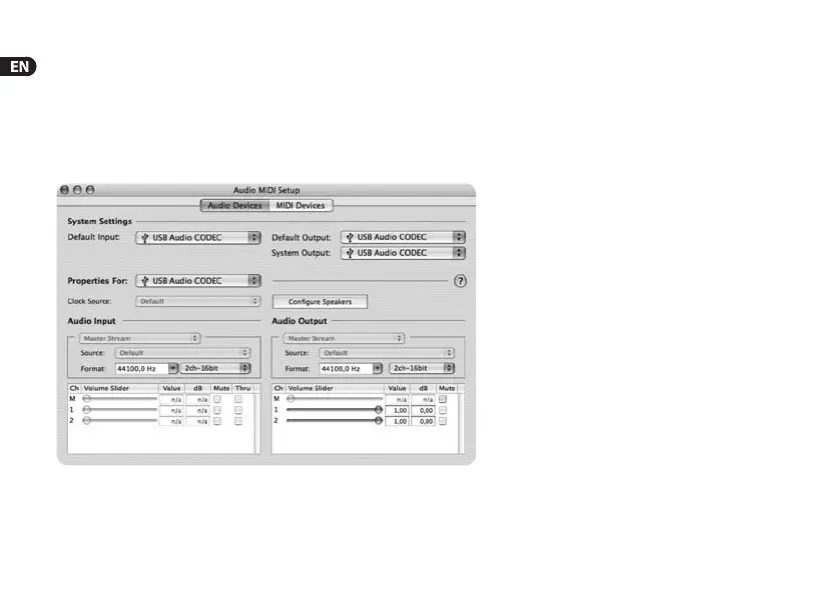
1) Open Audio MIDI Setup from the folder Applications>
Utilities and make your choice according to thescreenshot.
Fig. 3.4: Audio MIDI Setup settings






 To Next Page