EasyManua.ls Logo

Beijer Electronics GN-9372 - Setup Network Address in PIO (GN-9372); Network Setting (Default); Set the IP Address (Network) to Default Setting

Beijer Electronics GN-9372
12 pages
Print Icon
To Next Page IconTo Next Page
To Previous Page IconTo Previous Page
Loading...
GN-9372 - IP address, Subnet and Gateway Setting SUEN00389A 2020-09
4 (12)
Normal.dotm
, 2020-09-09
4 Setup Network address in PIO (GN-9372)
Network addresses can be set with BOOTP, Web or DHCP server.
Network setting (default)
Set the IP address (network) to default setting
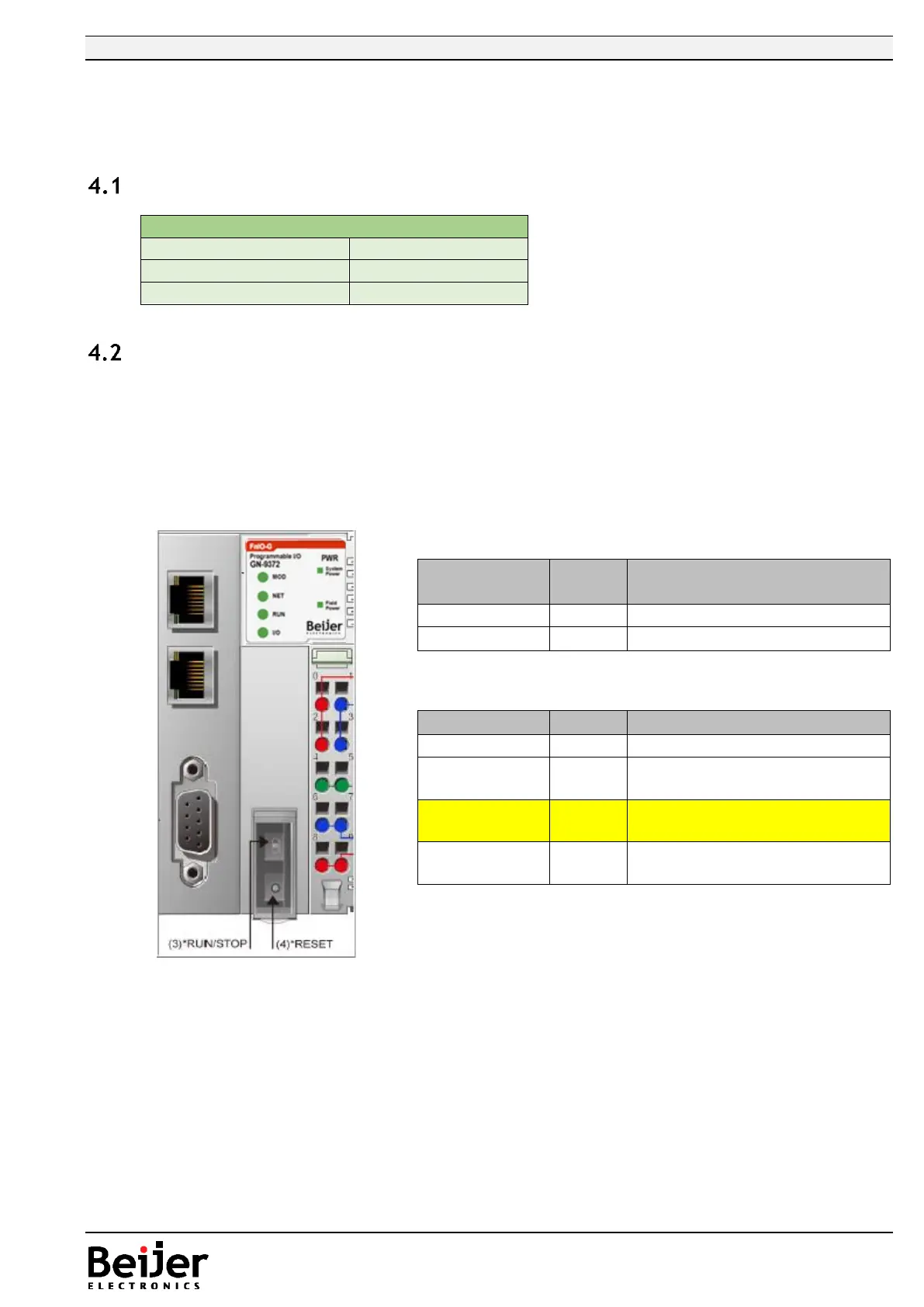
Power ON the PIO and push the Reset button in front of PIO
The switch should be pushed for minimum 20 second. All LED should flash Green/Red.
PIO will be set into the factory default mode
- PLC program will be erased
- PLC Parameters will be erased
Restart the PIO
Default Setting
IP Address
192.168.1.50
Subnet Mask
255.255.255.0
Gateway
0.0.0.0
Toggle
Switch
Status
M
od
ul
e
is
UP
R
U
N
DOWN
S
T
O
P
Push
Button
M
od
ul
e
is
Press and
detach
R
es
et
Push for 5
sec and
power
Reset
P
L
C
R
es
et
Push for 20
sec and
power
reset
Fa
ct
or
y
de
fa
ult
Hold down
and reset
the power
IA
P
m
od
e