Set the IP address (network) using the built-in Web Server
Easiest way to configure the PIO is to use the built-in Web Server.
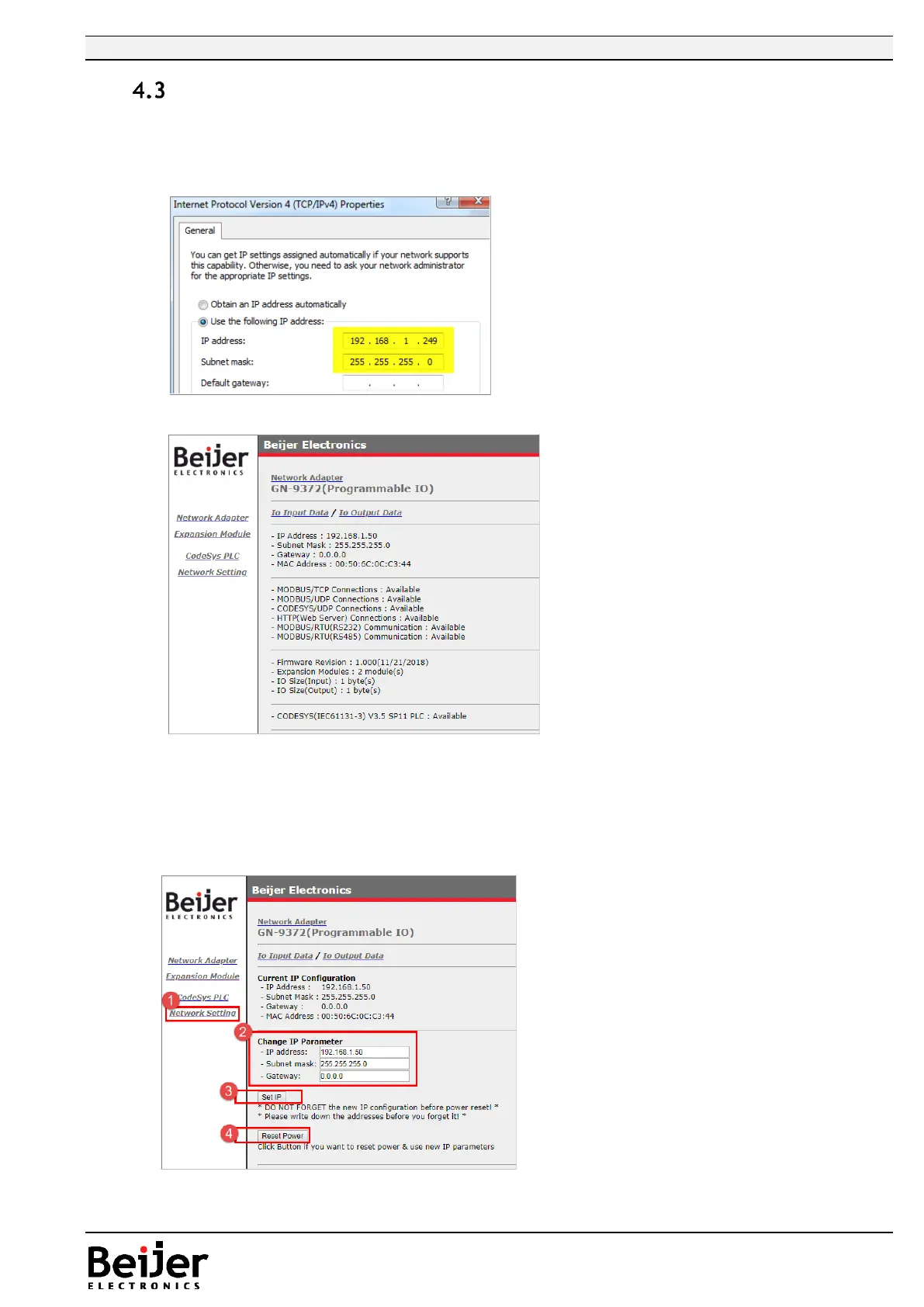
Default IP address as seen below.
• Make sure the PC are on the same IP segment as the PIO.
In example the PIO have 192.168.1.50
• Type Ip-address (default) “192.168.1.50/setup.htm” in web browser.
• In Network Setting, you have the choice to Change/Set a new IP address
• Change the network parameter (IP, Subnet, Gateway)
• Press button ”Set IP”
• Press button ”Reset Power” to enable new settings
• Test the new IP-setting by log in to the new ip-address


 To Next Page