BOOTP server
BOOTP is a standard protocol that can be used to configure the network settings on a GL-
9089 and GN-9289.
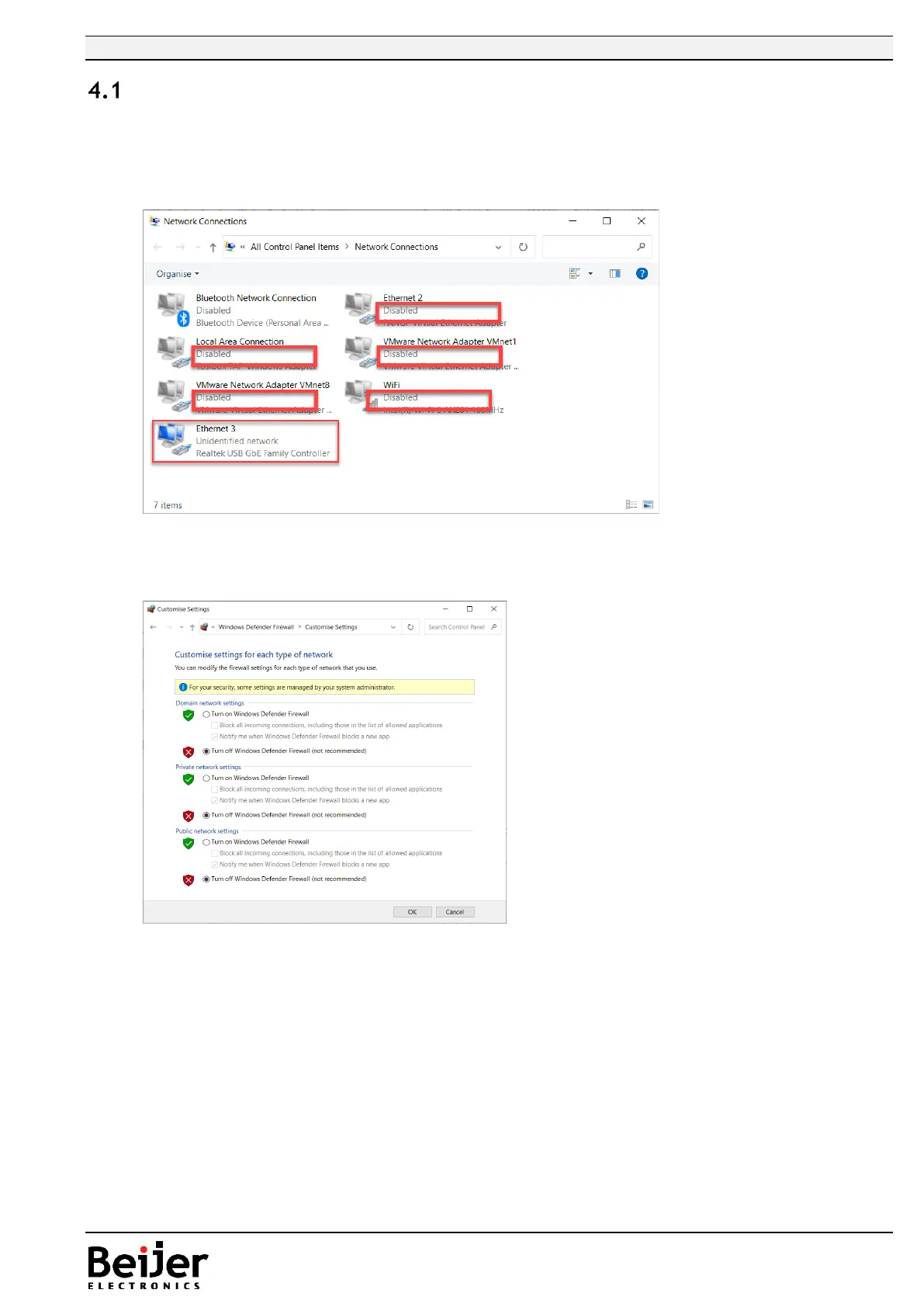
Sometimes it’s required to disable all other network devices besides the one being used to
configure the GL-9089/GN-9289.
In some rare case the firewall needs to be disabled, select “Turn off…” on all networks and push
“OK”.
Remember to reactivate the firewall after the IP address setting is done!
There could be security software (like antivirus programs) that might need to be temporarily disabled.
In some cases when cycling the power of the network adapter, without using a switch between the PC
and network adapter, the BOOTP application will loose its reference to the ethernet port. The best
and recommended way is to use a switch between the PC and the device.


 To Next Page