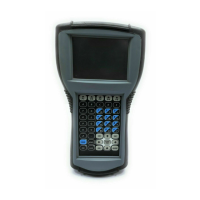
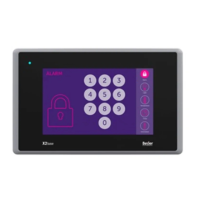
This document describes the EXTER™-series Operator Terminals, a range of Human Machine Interface (HMI) devices manufactured by Beijer Electronics. This manual, MA00757A 2006-07, provides detailed information on maintaining and updating the hardware and software of these terminals.
Function Description
The EXTER™-series Operator Terminals are designed for various HMI applications, offering both keypad-operated and touch screen models. These terminals serve as an interface for controlling industrial equipment and displaying operational data. The functionality is configured using the Information Designer tool.
Key functionalities include:
- Network Abilities (Ethernet/Internet): E-mail (STMP client), Web server, Remote operation, Access to controller system, and Transfer of files (FTP server).
- Dual Drivers with Data Exchange: Supports communication with various controllers.
- Passthrough / Transparent Mode: Dependent on the specific driver used.
- No Protocol Mode: Allows for flexible communication.
- Multiple Languages: Supports up to 10 languages within a single project.
- Standard Windows Fonts (Unicode): Ensures broad font compatibility.
- Data Logger: For recording operational data.
- Internal Variables: For internal data processing.
- Historic Trends: For visualizing historical data.
- Recipe Management: For managing operational recipes.
- Alarm Management: Supports up to 16 alarm groups.
- Time Channels: For time-based control.
- I/O Poll Groups: For managing I/O polling.
- Security Passwords: Offers up to 8 levels of security.
- Message Libraries: For storing and displaying messages.
- Macros: For executing automated sequences.
- Dynamic Objects: For creating interactive display elements.
- Report Printouts: For generating reports.
- Easy Configuration with Information Designer: Simplifies project setup.
Important Technical Specifications
The EXTER™-series includes several models, each with specific technical data:
Keyboard Operated Terminals:
- EXTER K30m:
- Front panel (W x H x D): 202 x 187 x 6 mm
- Mounting depth: 56.9 mm (156.9 mm incl. clearance)
- Weight: 0.875 kg
- Display: FSTN-LCD, 240 x 64 pixels, monochrome
- Processor: 312 MHz RISC CPU (Intel XScale)
- Memory flash: 32 MB (12 MB application memory)
- Memory RAM: 64 MB
- Power consumption: Normal 0.15 A, Max 0.35 A
- Backlight lifetime: >50,000 h
- EXTER K60c:
- Front panel (W x H x D): 275 x 168 x 6 mm
- Mounting depth: 57.3 mm (157.3 mm incl. clearance)
- Weight: 1.11 kg
- Display: CSTN-LCD, 320 x 240 pixels, 64K color
- Processor: 312 MHz RISC CPU (Intel XScale)
- Memory flash: 32 MB (12 MB application memory)
- Memory RAM: 64 MB
- Power consumption: Normal 0.3 A, Max 0.5 A
- Backlight lifetime: >60,000 h
- EXTER K70:
- Front panel (W x H x D): 285 x 177 x 6 mm
- Mounting depth: 56 mm (156 mm incl. clearance)
- Weight: 1.3 kg
- Display: TFT-LCD, 640 x 480 pixels, 64K color
- Processor: 416 MHz RISC CPU (Intel XScale)
- Memory flash: 32 MB (12 MB application memory)
- Memory RAM: 64 MB
- Power consumption: Normal 0.4 A, Max 0.9 A
- Backlight lifetime: 50,000 h
- EXTER K100:
- Front panel (W x H x D): 382 x 252 x 6 mm
- Mounting depth: 58 mm (158 mm incl. clearance)
- Weight: 2.3 kg
- Display: TFT-LCD, 800 x 600 pixels, 64K color
- Processor: 416 MHz RISC CPU (Intel XScale)
- Memory flash: 32 MB (12 MB application memory)
- Memory RAM: 64 MB
- Power consumption: Normal 0.5 A, Max 1.0 A
- Backlight lifetime: 50,000 h
Touch Screen Operated Terminals:
- EXTER T40/T40m:
- Front panel (W x H x D): 155.8 x 119 x 6 mm
- Mounting depth: 56.8 mm (156.8 mm incl. clearance)
- Weight: 0.56 kg
- Display: TFT-LCD, 320 x 240 pixels (T40 64K color, T40m 16 grey scales)
- Processor: 312 MHz RISC CPU (Intel XScale)
- Memory flash: 32 MB (12 MB application memory)
- Memory RAM: 64 MB
- Power consumption: Normal 0.15 A, Max 0.35 A
- Backlight lifetime: >50,000 h
- EXTER T60c/T60m:
- Front panel (W x H x D): 201 x 152 x 6 mm
- Mounting depth: 56.8 mm (156.8 mm incl. clearance)
- Weight: 0.87 kg
- Display: CSTN-LCD, 320 x 240 pixels
- Processor: 312 MHz RISC CPU (Intel XScale)
- Memory flash: 32 MB (12 MB application memory)
- Memory RAM: 64 MB
- Power consumption: Normal 0.4 A, Max 0.9 A
- Backlight lifetime: >45,000 h
- EXTER T70:
- Front panel (W x H x D): 219 x 154 x 6 mm
- Mounting depth: 55 mm (155 mm incl. clearance)
- Weight: 1.1 kg
- Display: TFT-LCD, 640 x 480 pixels, 64K color
- Processor: 416 MHz RISC CPU (Intel XScale)
- Memory flash: 32 MB (12 MB application memory)
- Memory RAM: 64 MB
- Power consumption: Normal 0.4 A, Max 0.9 A
- Backlight lifetime: 50,000 h
- EXTER T100:
- Front panel (W x H x D): 302 x 228 x 6 mm
- Mounting depth: 58 mm (158 mm incl. clearance)
- Weight: 2.0 kg
- Display: TFT-LCD, 800 x 600 pixels, 64K color
- Processor: 416 MHz RISC CPU (Intel XScale)
- Memory flash: 32 MB (12 MB application memory)
- Memory RAM: 64 MB
- Power consumption: Normal 0.5 A, Max 1.0 A
- Backlight lifetime: 50,000 h
- EXTER T150:
- Front panel (W x H x D): 398 x 304 x 6 mm
- Mounting depth: 60 mm (160 mm incl. clearance)
- Weight: 3.7 kg
- Display: TFT-LCD, 1024 x 768 pixels, 64K color
- Processor: 416 MHz RISC CPU (Intel XScale)
- Memory flash: 32 MB (12 MB application memory)
- Memory RAM: 64 MB
- Power consumption: Normal 1.2 A, Max 1.7 A
- Backlight lifetime: 35,000 h
Common Specifications (all models unless specified):
- Keypad material: Membrane switch keypad with metal domes (keypad models), Polyester on glass (touch screen models).
- Reverse side material: Powder-coated aluminum.
- Serial ports: RS422/RS485 (25-pin D-sub), RS232C (9-pin D-sub).
- Ethernet: Shielded RJ 45 10/100 Mbit/s.
- USB: Host type A, max output current 500 mA.
- Memory Expansion: Compact Flash slot (type I and II) for K70, K100, T70, T100, T150 models.
- Buzzer: Yes.
- Real time clock: +20 PPM + error, minimum life of 3 years.
- Fuse: Internal DC fuse, 3.15 AT, 5 x 20 mm.
- Power supply: +24 V DC (20 - 30 V DC).
- Ambient temperature: Vertical installation: 0° to +50 °C, Horizontal installation: 0° to +40 °C.
- Storage temperature: -20° to +70 °C.
- Relative humidity: 5-85% non-condensed.
- Approvals: CE (EMC directive 89/336/EEC), UL/CUL (UL 1604 Class I, Div. 2; UL 508; UL 50), DNV (Environmental test specification).
- Ingress protection: IP 66/NEMA 4X (indoor use), UL 50 4X (indoor).
- Back cover protection degree: IP 20.
- Shock: IEC 60068-2-27 (15 g, 11 ms).
- RoHS Compliant: All operator terminals produced after July 1, 2006.
Usage Features
The EXTER™-series terminals are designed for ease of use and flexibility in HMI applications. The configuration tool, Information Designer, allows users to create and manage application projects. Remote access and control are possible via the Remote Access Viewer, utilizing a VNC client and built-in VNC server.
The terminals support various modes of operation, controlled by four mode switches (DIP switches) located on the rear side:
- 0000 (Run-mode): Normal operation, boots Windows CE.
- 0010 (System Restore): Resets file system and registry, reinstalls system program, restores factory settings. Caution: Data loss possible.
- 0100 (Image Load mode): Allows upgrading the complete software package (firmware). Caution: All files and file system will be deleted.
- 1000 (User Menu mode): Displays a user menu for setting IP configuration, erasing projects, and calibrating the touch screen.
- 1100 (Not used): Run-mode.
- 1110 (Self-Test): For hardware self-testing.
- xxx1 (Hard reset): Forces a system reset.
Maintenance Features
The manual provides detailed instructions for maintenance and hardware replacement, emphasizing the importance of qualified personnel and ESD protection.
General Maintenance:
- Disconnect power before cleaning or maintenance.
- Clean display and front cover with a soft cloth and mild detergent (water, IPA, or Hexane).
- A 6-month warranty is provided on all service parts.
Hardware Replacement Procedures:
- Replacing the Rear Cover: Involves loosening 4 torx screws.
- Replacing the Display/Display Cable: Requires a torx T10 screwdriver and two plain screwdrivers. Involves disconnecting flex cables, removing the power card, and gently prying the display frame.
- Self-test of the Display: Performed by starting the terminal in self-test mode (1110) and verifying display functionality.
- Calibrating the Touch Screen: Requires a USB keyboard and mouse. Performed in User Menu mode (1000).
- Replacing the Complete Front: Follows similar steps to display replacement, but involves attaching a new front unit.
- Replacing the Battery: Requires opening the battery cover and using non-conductive pliers to extract the battery. For some models, the battery is glued and requires careful removal. Caution: Incorrect battery replacement may result in explosion. Only use recommended batteries.
- Replacing the Backlight: For some models, the entire display must be replaced. For others (T100, K100, T150), backlights can be replaced separately by gently moving them to release snap-in closures or unscrewing. Note: All lamps in the display must be replaced at the same time.
Software Update Procedures:
- Information Designer: Updated by accredited dealers.
- Remote Access Viewer: Updated via the manufacturer's website.
- Image Loader: Used for upgrading the complete software package (EBOOT, Windows CE, OPsys). Caution: All existing data will be deleted.
- System Program: Can be updated via PC (serial port or Ethernet) or external memory card (Compact Flash or USB Flash drive). Caution: Power must not be interrupted during transfer.
Fault Tracing:
A comprehensive fault tracing list is provided for common issues, including:
- Power problems (no power, power LED off).
- Communication issues with the controller.
- Backlight failure.
- Terminal not working but power LED is on.
- Outdated firmware.
- Keypad or touch screen malfunction.
- Display issues (lines, wrong color, shifted picture).
- Terminal not restarting after component change.
- Low or no battery voltage.
Environmental Aspects:
Beijer Electronics adheres to SS-EN ISO 9001:1994 and SS-EN ISO 14001:1996 standards. The terminals are designed with recycling in mind.
- Mechanical Components: Aluminum and stainless steel are non-environmentally hazardous. Packing materials are also non-hazardous.
- Electronics: Circuit boards use surface-mounted components. Solder contains tin and lead. Flame retardants (TBPA) are used in printed circuit boards. Note: RoHS compliance for products after July 1, 2006.
- Display: Liquid crystals are cyclohexane compounds. Fluorescent tubes contain mercury and lead solder.
- Batteries: Button cell lithium batteries (Li/MnO2) are used.
- Recycling: Terminals should be sent to electronic scrap facilities. Aluminum, plastic display frames, and CF covers are recyclable. Lithium batteries, electrolytic capacitors, and fluorescent tubes require special handling as hazardous waste. Packaging is made from wood fiber and is recyclable.
Environmental Impact Reduction:
- Switch off the system when not in use.
- Use green electricity.
- Utilize energy-saving options, such as turning off backlight to save energy and reduce wear.
- Reduce backlight brightness to lower energy consumption and extend service life.
- Supply with 24 V DC to minimize loss effect.
- Ensure proper recycling of the terminal, battery, and packaging.

 Need help?
 General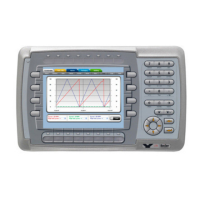

 To Next Page