16
When the required number of break-points have
been entered, return to the linearisation sub-menu
by pressing E. The indicator will display the 'Add'
or 'dEL' prompt depending upon the last function
used.
Now that the number of break-points has been
entered, the input current at which each occurs
and the corresponding indicator display can be
defined by the ‘Pts’ sub-function.
Using the ▲ or ▼ button select 'PtS' from the sub-
menu and press P which will select the first break-
point '0 : n', where n is the total number of break-
points entered. The selected break-point can be
changed using the ▲ and ▼ buttons. When the
required break-point has been selected, set the
indicator input current to the exact value at which
the break-point is required and press P. Then
using the ▲ and ▼ buttons and the P button to
move between digits, enter the required indicator
display at this break-point.
When set as required, press the E push-button to
enter the required indicator display at this break-
point and return to the sub-menu from which the
next beak-point can be selected.
When all the break-points have been calibrated
pressing E twice will return the indicator to the
‘CAL’ function in the configuration menu.
Note: The indicator input current must be adjusted
to the required value before the P button is
operated to enter the required indicator display.
7.2 Lineariser calibration using the internal
reference.
The ‘SEt’ function enables the lineariser to be
calibrated without the need for an accurate
external current source. Throughout the
calibration the indicator input current may be any
value between 4 and 20mA.
The ‘SEt’ functions contains four sub-functions.
Display Description of function
'Add' Add a break-point
Adds a new break-point before the
displayed break-point. The calibration
of existing break-points is not changed,
but the identification number of all
subsequent break-points is increased
by one.
'dEL' Remove a break-point
Removes the displayed break-point and
joins the preceding break-point to the
following break-point with a straight
line. The identification number of all
subsequent break-points is decreased
by one.
'in' Defines the current at which break-
point occurs
Enables the required current at each
break-point to be defined without
having to input an accurate input
current to the indicator.
'diSP' Defines indicator display at break-
point
Enables the indicator display at each
break-point to be defined.
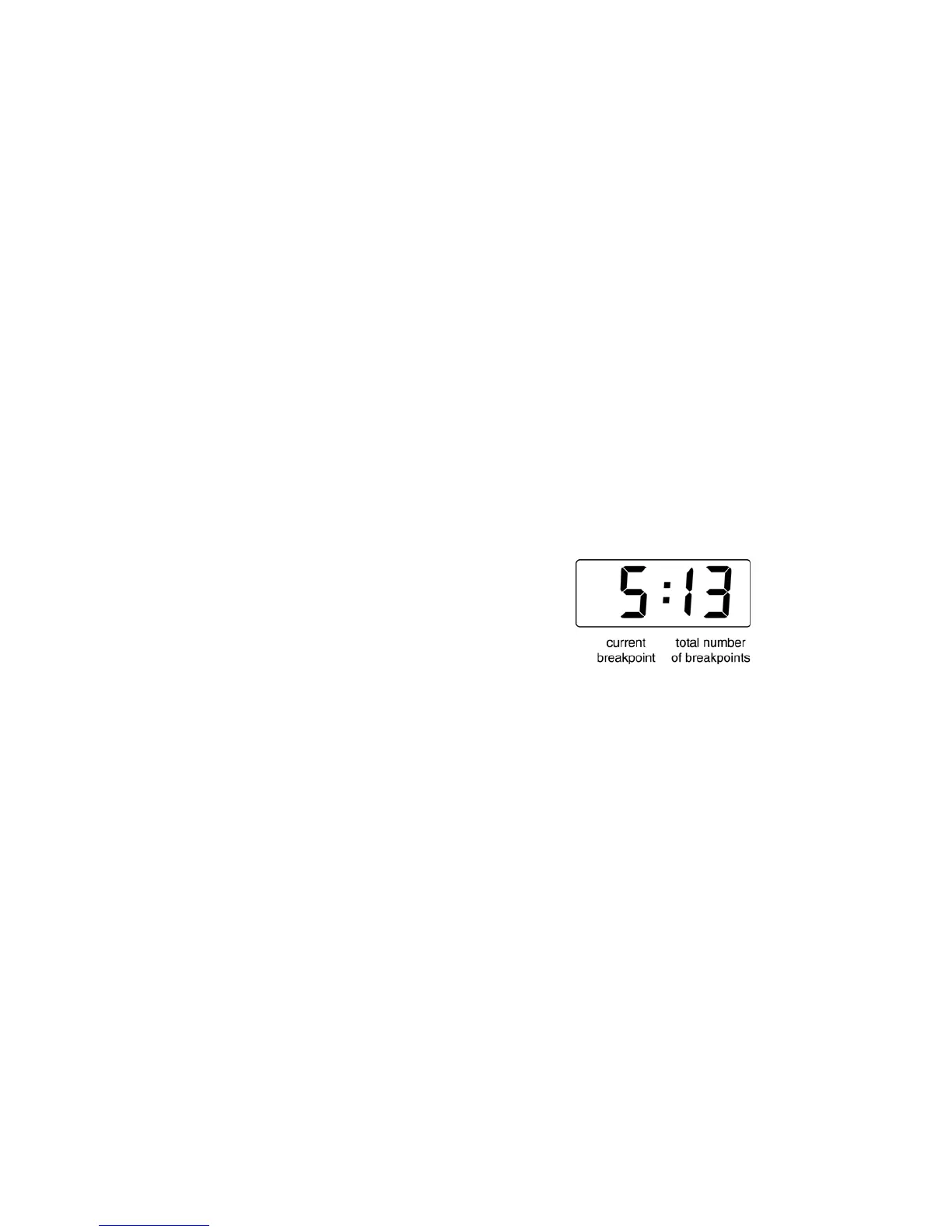
The number of break-points required should first
be entered using the 'Add' and 'dEL' sub-
functions. In both these sub-functions the indicator
initially displays the current break-point and the
total number of break-point being used as shown
below.
To add a break-point, using the ▲ or ▼ button
select 'SEt' from the configuration menu and press
P which will result in the 'Add' sub-function prompt
being displayed. To enter the sub-function press P
which will reveal the current break-point and the
total number of break-points which have already
been entered. Each subsequent operation of the
P push-button will introduce an additional break-
point up to the maximum of 17. When adding a
break-point to a calibrated indicator, the insertion
position for the new break-point can be selected
using the ▲ and ▼ push-buttons.
The delete segment sub-function 'dEL' operates in
exactly the same way as the 'Add' sub-function
described above. Once within the ‘dEL’ function
each time the P button is pressed a break-point is
removed. When deleting a break-point from a
calibrated indicator, the break-point to be deleted
can be selected using the ▲ and ▼ push-buttons.
The minimum number of break-points is 2, break-
points 0 and 1.



 To Next Page