34 Dishwasher / User’s Manual/47 EN
Operating the product
Functions Under the Settings
Menu
(depends on the model)
Under the settings menu of your product,
there are some additional functions that
depend on the model.
To access these functions, press and hold
the Menu key for 3 seconds. Use <- and
+> to proceed to the desired function or
setting.
Use the selection key to change the desired
function or setting and press the Menu key
to exit the Settings menu.
C
The function indicator will
light up even if the functions
activated on the settings menu
are not active in the selected
washing programme.
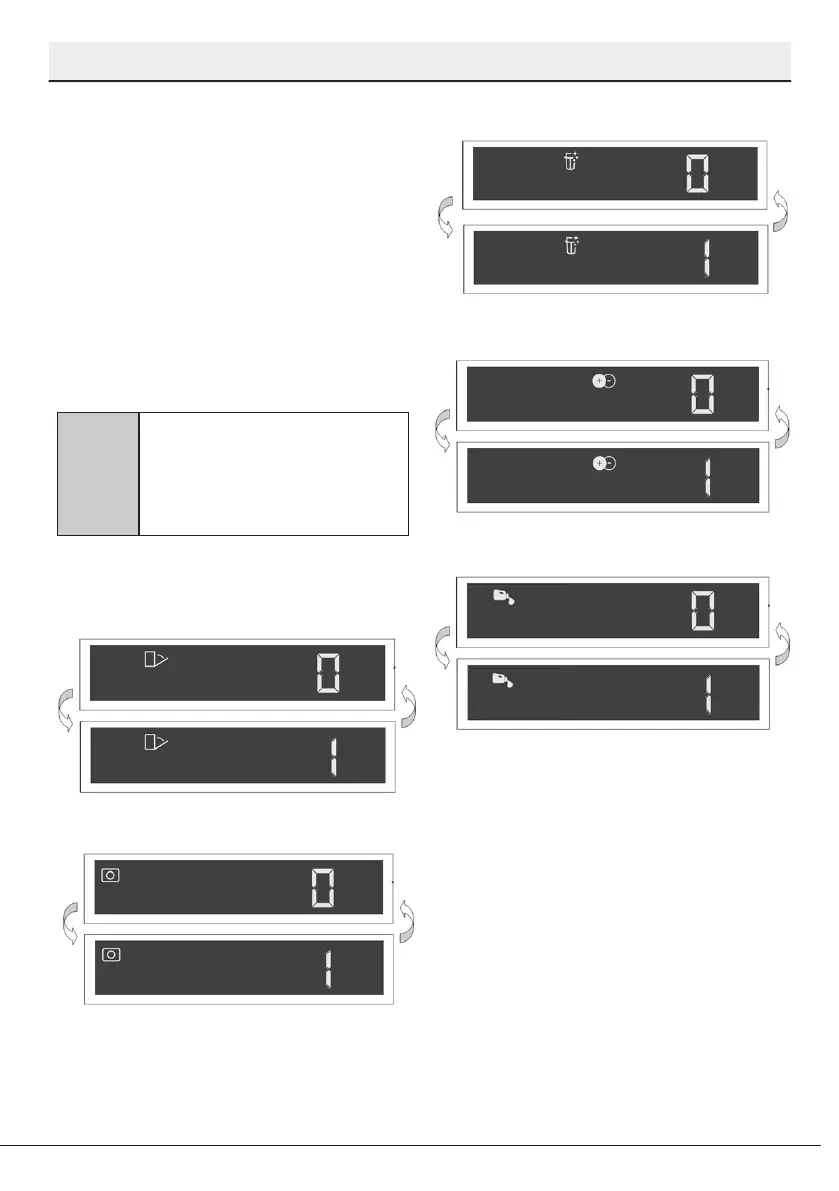
Submenu Functions:
(depends on the model)
Doormatic Function Off/On
Detergent Tablet Function Off/On
EverClean Function Off/On
IonGuard Function Off/On
Liquid Dosing Function Off / On


 To Next Page