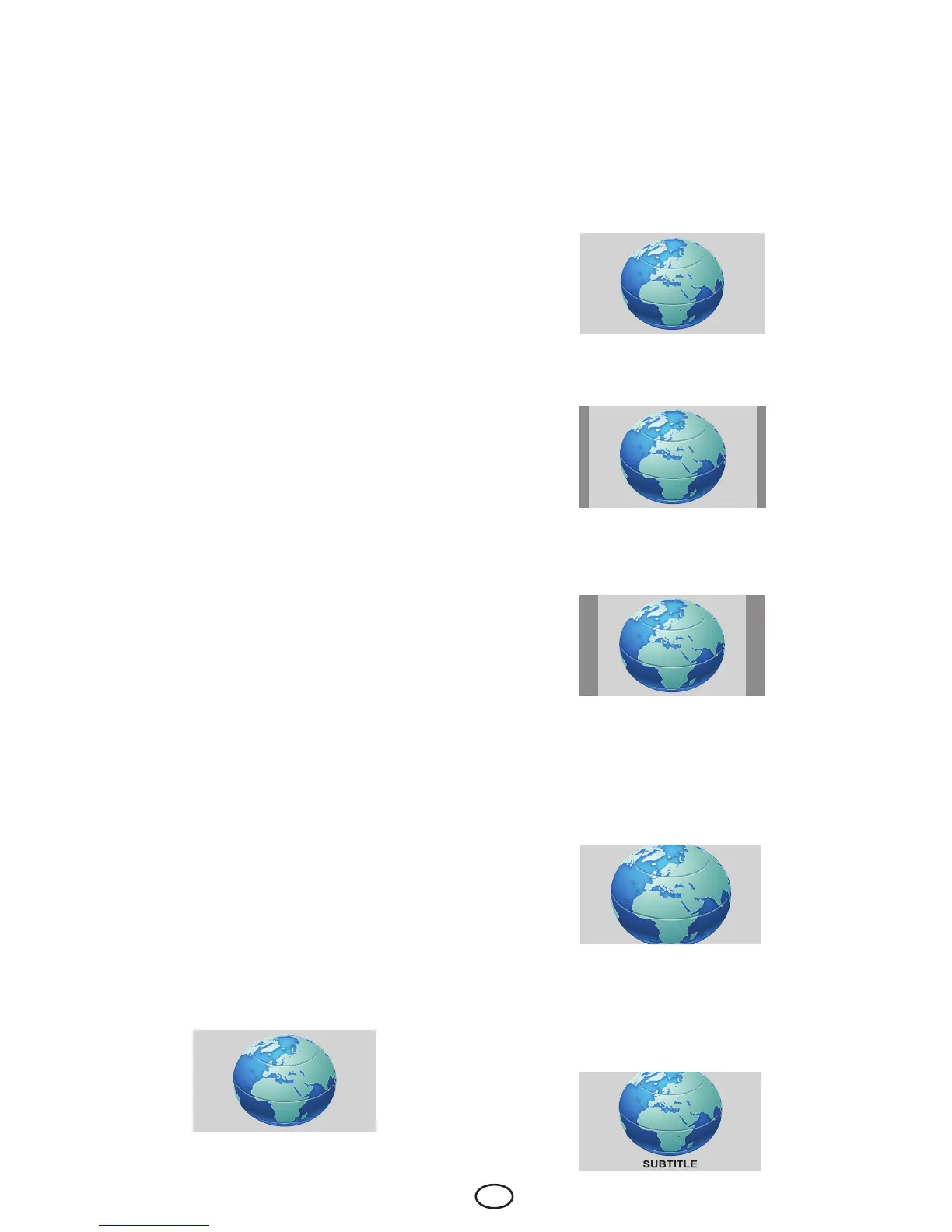
7.2.6.5-Letterbox
Whilewatchinga“16:9orCinemascope
formatted” film or video cassette, this setting
will eliminate or minimize the black stripes on
the background by zooming in the picture
without diffusing it.
7.2.6.6-Subtitle
Ifthesubtitlesaretransmittedinthe“16:9
formatted” broadcast, then this setting will
push the picture upwards in order to ensure
the entire written text to be seen.
7.2.3-DNR (Noise reduction)
You may reduce interference and noise
formed in the picture by using this feature.
Select DNR tab in the Picture menu with the
Up/Down navigation buttons to activate this
feature and select one of the OFF, LOW,
MID, HIGH or AUTO options with Left/
Right navigation buttons.
7.2.4-CCE (Colour&Contrast
Enhancement)
With this feature, you can make the colours
in the picture appear more saturated. Select
CCE tab from the Picture menu by pressing
the Up/Down buttons and then select
ON by pressing the Right/Left buttons to
activate this feature.
7.2.5-Tint
WhenNTSCvideoisinputviaScart,you
may make Hue settings. The tint option is not
seen in the menu when you have not input
thistypeofavideo.WhenaNTSCvideois
connected via the Scart, this option becomes
active and appears in the menu.
7.2.6-Picture Format
With this option, you can view the broadcast
you watch in a format of your choice. You
may view broadcastings in either AUTO,
16:9, 14:9, 4:3, LETTERBOX or SUBTITLE
formats. Picture format can be selected as
16:9, 14:9 or 4:3 formats in HDMI, YPBPR
and PCmodes.Inthatcase,thenameofthe
selected picture format will be displayed in
the centre of the screen.
Note:InHDMI, YPBPR and PC modes, 4:3
and 16:9 picture formats are supported.
7.2.6.1-Auto
Some movie channels may broadcast in
the16:9format.Ifyouwouldliketoseethis
format automatically, then select AUTO.
Inthatcase,AUTO 16:9 appears on your
screen.
7.2.6.2-16:9
Please use this setting for watching wide
screen DVDs, wide screen video cassette
or16:9formattedbroadcasts.Sincevarious
screenformatssuchas16:9,14:9andetc.
are used, black stripes might be formed on
the lower and upper parts of the screen.
7.2.6.3-14:9
This is a movie format.
7.2.6.4-4:3
Usethissettingtowatchthebroadcastsin
the4:3format.



 To Next Page