4
Start
Remove your television carefully from its
box. You can keep the packaging of your
television to use in future.
Contents of the box
Powercable(*)
Adaptor(*)
Remote control
2 batteries
Note:TheScart,VGA(*)andRCAcablesare
not supplied with the device.
(*)Thesefeaturesareoptionalandmaynot
be available on all models.
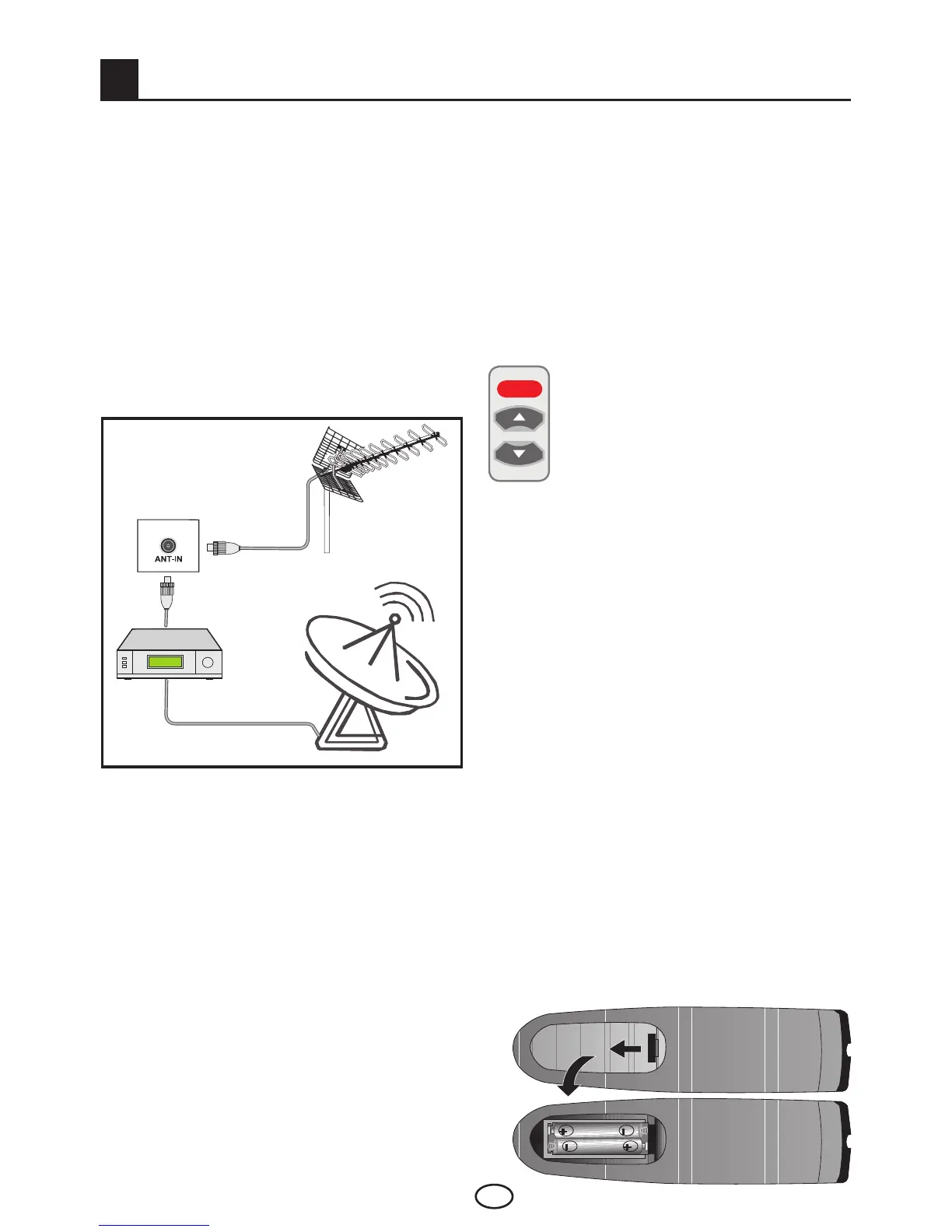
4.1-Antenna connection
4.2-Powering on your device
and the initial use
1.Insertthepowercableortheadaptorinto
the appropriate power supply input located on
the back panel of the LCD TV.
2.Inserttheplugofthepowercableor
adaptor, supplied with the device into the
mains socket.
Note 1: Your TV will switch to the stand-by
mode in five minutes if there is no broadcast
signal from antenna.
3. To power on your television, press
any numerical key or PR+ or PR- keys
on the remote control.
Note:Ifyouarenotgoingtouseyour
television for a long time, unplug its power
cable from the socket.
Initial power on and performing
settings
To set up your television, read the sections
on the TV controls and making the channel
settings.
4.3-Batteries
Open the lid of the battery compartment and
make sure that you have placed the batteries
in the correct direction. For this remote control,
UM-4,IECR03orAAA1.5Vbatteriesare
suitable.
Do not throw your old batteries into the fire,
discard them in a dedicated waste area for this
purpose.
Do not mix used batteries with new ones or
different types of batteries together.
The performance of the remote control will be
reduced at a distance of 8 meters from or at
an angle of 30 degrees beyond the centre of
the TV.
Ifyouusea75Ohmcoaxialcable(round
cable)asanantennacable,connectthe
antenna plug directly to the antenna input
located on the TV.
Motorized vehicles, energy lines and
telecommunication lines affect your antenna.
Therefore, be careful to install your antenna
away from these and metal surface in such
a way that it shall not swing. Do not make
your antenna cable longer than required
and do not coil it. Make sure that it is not
crimped passing through a window or door.
Your antenna and cable might be affected
by natural phenomena such as rain, wind,
smoke and humidity over time. Periodically
check your antenna and equipment.
or



 To Next Page