- 15 -
5. Operation method
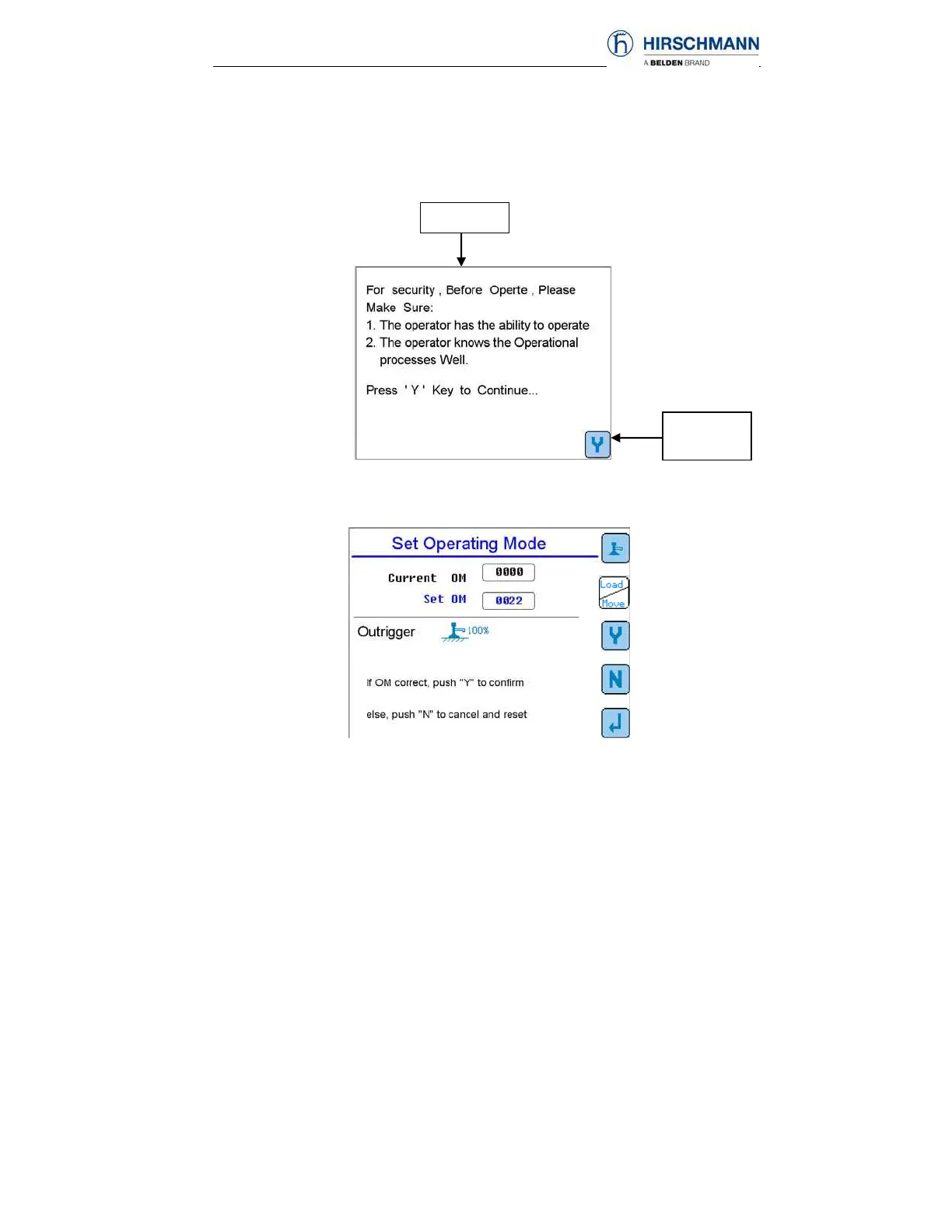
With proper adjustments, the LMI will start to work automatically. The crane
operator must be very familiar with the operation of LMI system and correctly
adjust it before operating the crane. Below is a diagram of the startup screens.
If all system checks are okay, then after pushing Y (F5 button), the Set
Operating Mode screen will come up.
If OM is set correctly, push Y (F3 button) to confirm, then ◄┘(F5 button) to
return to main screen. Otherwise set OM according to section 5.2.
Power On
Push Y to
continue



 To Next Page