Device security
2.11
Decommissioning
42
UM Security BRS-2A
Release
8.7
05/2022
2.11 Decommissioning
If you have high security requirements, consider physical destruction (see on page 42 “Secure
physical destruction of device and components”). Secure physical destruction addresses the
possible reading-out of memory blocks from the flash memory and makes deletion and wiping (see
on page 42 “Destruction of confidential data and secrets”) redundant.
Note: If you plan to continue using the device, consider leaving the device and its software intact
and deleting or wiping only the data on the device and on the external memory.
2.11.1 Destruction of confidential data and secrets
Note: Resetting the device to the delivery state performs normal file deletion operations on the
device and the external memory which may leave some of the file contents or blocks in the flash
memory intact. Also, the audit trail persists after a reset to the delivery state.
If you have high security requirements, consider the physical destruction of the device and the
external memory.
Reset to the delivery state
For the deletion of data, perform the following steps as needed:
Reset the device to the delivery state. This performs the following operations:
– Deletes the current HTTPS certificate in the device and creates a new, self-signed HTTPS
certificate.
– Deletes the current SSH host key pair in the device and creates a new, self-signed SSH host
key pair.
– Deletes the configuration profiles and configuration scripts in the device.
– Resets the boot parameters.
– If the external memory is plugged in, the device deletes configuration profiles on the external
memory.
If necessary, manually delete the configuration profiles on the external memory and/or any other
files on it.
Note: The audit trail persists after a reset to the delivery state.
2.11.2 Secure physical destruction of device and components
For the secure physical destruction of physical components, perform the following steps as needed:
Physically destroy the external memory. This addresses:
– The configuration profiles on the external memory
– The software files on the external memory
– Any other files on the external memory
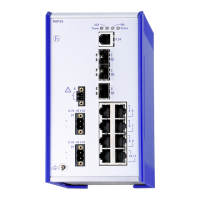
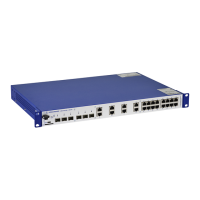
Physically destroy the device, including the flash memory chips. This addresses:
– The HTTPS certificate in the device
– The SSH host key pair in the device
– The configuration profiles in the device
– Any other files in the device



 To Next Page