32
Installation RSP20/25/30/35
Release
18
09/2021
1.6 Display elements
After the supply voltage is set up, the Software starts and initializes the
device. Afterwards, the device performs a self-test. During this process,
various LEDs light up.
1.6.1 Device state
These LEDs provide information about conditions which affect the operation
of the whole device.
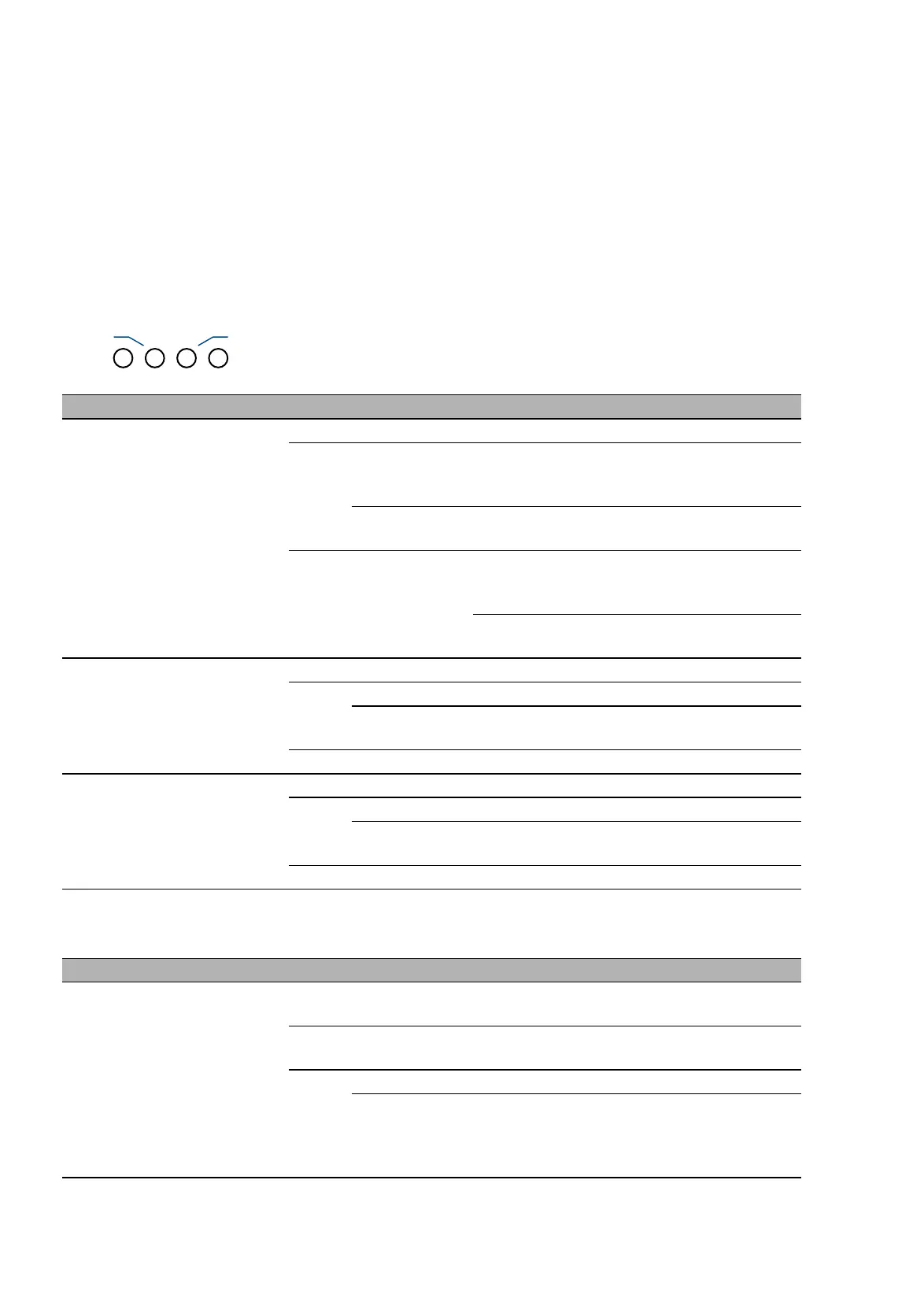
Applies to software releases before 02.0.00:
LED Display Color Activity Meaning
Power Supply voltage — none Supply voltage is too low
yellow lights up Device variants with redundant power
supply:
Supply voltage 1 or 2 is on
flashes 4 times
a period
Software update is running. Maintain the
power supply.
green lights up Device variants with redundant power
supply:
Supply voltage 1 and 2 is on
Device variants with single power supply:
Supply voltage is on
RM Ring Manager — none No redundancy configured
green lights up Redundancy exists
flashes 1 time
a period
Device is reporting an incorrect
configuration of the RM function
yellow lights up No redundancy exists
ACA Storage medium
ACA31
— none ACA storage medium not connected
green lights up ACA storage medium connected
flashes 3 times
a period
Device writes to/reads from the storage
medium
yellow lights up ACA storage medium inoperative
LED Display Color Activity Meaning
Status Device Status — none Device is starting and/or is not ready for
operation.
green lights up Device is ready for operation.
Characteristics can be configured
red lights up Device is inoperative
flashes 1 time
a period
The boot parameters used when the
device has been started differ from the
boot parameters saved.
Start the device again.



 To Next Page