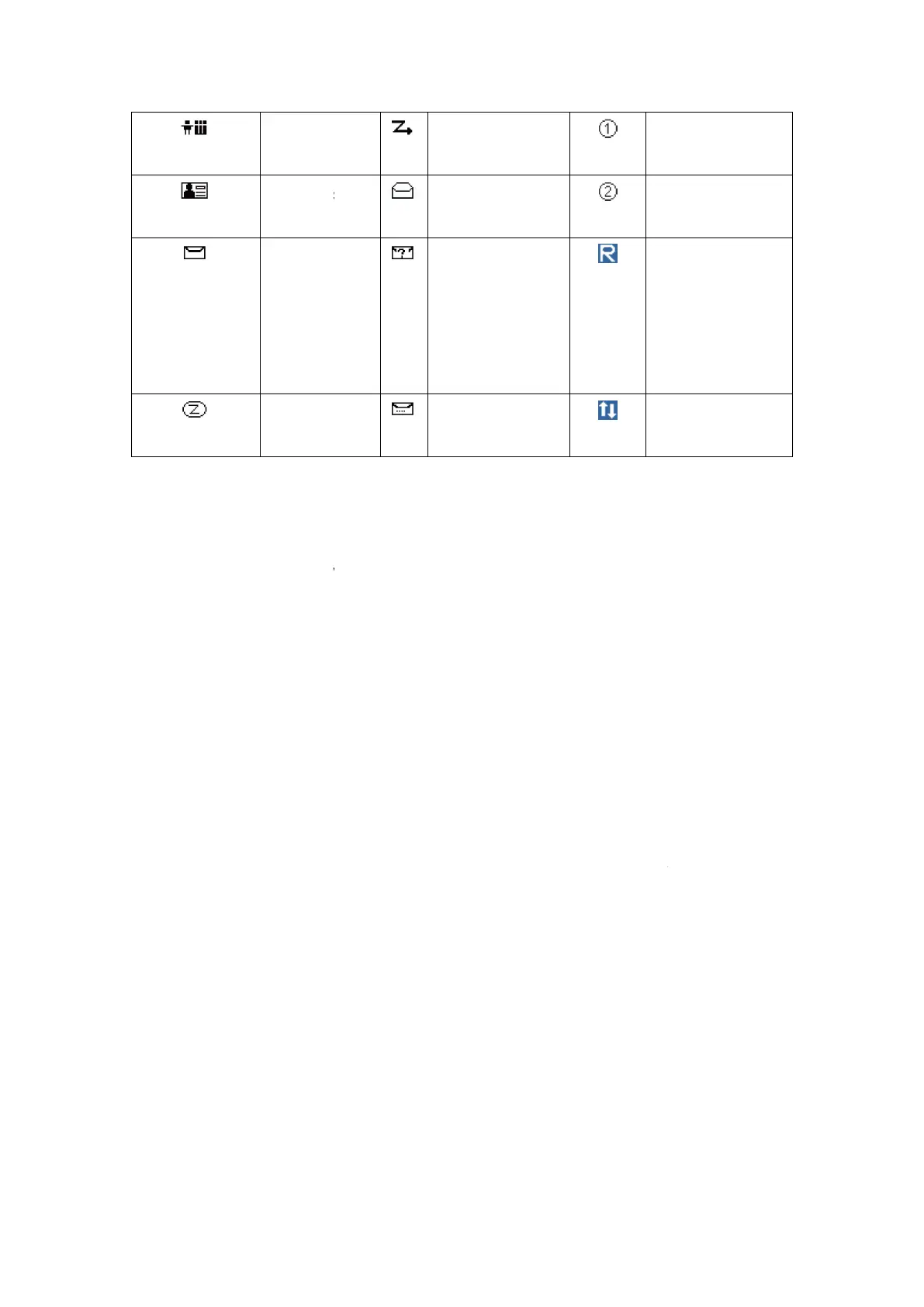
All Call
Menu
Turning the power on /off
Long press the power switch/volume adjusting keys about 2 seconds to turn
the power on, the power on tone will sound.
Then long press the power switch/volume adjusting keys about 2 seconds to
turn the power off.
After the radio is pow
er on, you can switch the function of power switch/volume
adjust keys as volume mode, then rotate the power switch/volume adjust keys
to adjust the volume level, rotate the knob
rotate the knob anti-
clockwise
Note: On programming software, only the default knob function is set as both or only
volume, you can rotate the knob to adjust the volume level.
15
Scan Menu
Read Message
Second Priority
Scan Channel
Unread
Message
Single
Frequency
re
feature is
enabled
Message Send
Successfully
Turning the power on /off
Long press the power switch/volume adjusting keys about 2 seconds to turn
the power on, the power on tone will sound.
Then long press the power switch/volume adjusting keys about 2 seconds to
Adjusting the volume
er on, you can switch the function of power switch/volume
adjust keys as volume mode, then rotate the power switch/volume adjust keys
to adjust the volume level, rotate the knob
clockwise
to increase the volume, or
clockwise
to decrease the volume.
Note: On programming software, only the default knob function is set as both or only
volume, you can rotate the knob to adjust the volume level.
Priority
Second Priority
Scan Channel
peater
Hoc feature
Long press the power switch/volume adjusting keys about 2 seconds to turn
Then long press the power switch/volume adjusting keys about 2 seconds to
er on, you can switch the function of power switch/volume
adjust keys as volume mode, then rotate the power switch/volume adjust keys
to increase the volume, or
Note: On programming software, only the default knob function is set as both or only



 To Next Page