16
Selecting a Channel
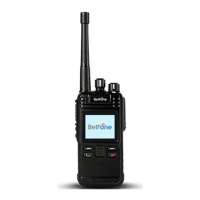
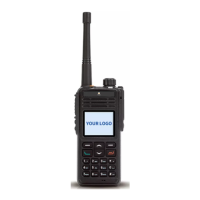
Short press the [power switch/volume adjust keys] to switch the function to
knob mode then rotate it to select a channel. Rotate the knob clockwise to
increase the channel number, or rotate the knob anti-clockwise to decrease
the channel number; also press the direction up or down key to select a
channel, while enable all tone alert ,handover channel will hear a channel
number.
Note: On programming software, only the default knob function is set as both or only
channel, you can rotate the knob to select a channel.
Select a Zone
The radio supports up to 128 zones, each with a maximum of 64 channels, 128
zones all support up to 1024 channels. You may select a desire zone through
enter zone menu or setting zone selection function to orange button, button 1
or button 2, then handover zone. While enable all tone alert, select zone will
hear a channel number.
Dual Modes Switching
If current channel mode is D/A compatible, press side button【Digital/Analog
Switch】function to switch the channel mode. The current channel mode is
digital compatible analog , press 【Digital/Analog Switch】button to switch to
analog compatible digital mode; the current channel mode is analog



 To Next Page