Need help?
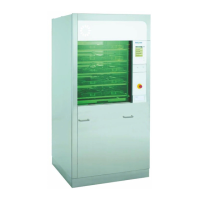
Do you have a question about the BELIMED WD290 and is the answer not in the manual?
General advice to read the instructions carefully for optimal product use.
Identifies the intended users and personnel for the instruction manual.
States that manual content reflects the technical status at printing time.
Explains important symbols for occupational safety to prevent harm.
Specifies approved uses for central sterilisation, surgery, labs, and industry.
Outlines user responsibilities for safe operation, maintenance, and parts.
Defines prohibited applications and limits manufacturer liability for misuse.
Emphasizes that only authorized, trained personnel should operate the device.
Lists the types of medical instruments and items suitable for cleaning.
Details the aim, components, and importance of process validation for safety.
Provides a labeled diagram and description of the device's unclean side components.
Provides a labeled diagram and description of the device's clean side components.
Explains the control panel functions and display for the unclean side.
Explains the control panel functions and display for the clean side.
Assigns responsibility for pre-treatment and warns about fixing proteins.
Lists key criteria and specifications that must be regulated in SOPs.
Gives instructions on preparing medical devices for mechanical reconditioning.
Details immediate removal of gross soiling to maintain cleaning effectiveness.
Warns about pre-treatment methods that can negatively affect subsequent washing.
Covers initial checks, servicing after disuse, and understanding display status messages.
Explains the necessity of self-disinfection to prevent microbial growth after disuse.
Provides step-by-step instructions for initiating the self-disinfection program.
Guides users on how to respond to faults during the self-disinfection process.
Details the process for identifying users through the device's control panel.
Explains user identification using a barcode reader and label creation.
Provides instructions for correct loading of items onto racks for washing.
Describes methods for identifying racks for accurate batch tracking.
Outlines the procedure for identifying batch contents using the device's panel.
Details the process for identifying batch contents using barcodes.
Step-by-step guide for manually loading racks into the washing chamber.
Information regarding the optional automated rack station for loading.
Includes important general warnings about operating the device during cycles.
Describes the procedure for initiating and executing the washing and disinfection cycle.
Covers removing cleaned items, safety precautions, and visual inspection of results.
Instructions for powering down the device and safety considerations for servicing.
General safety precautions and procedures for daily maintenance tasks.
Detailed steps for cleaning and servicing the bottom washing arm.
Detailed steps for cleaning and servicing the top washing arm.
Instructions for removing and cleaning the device's sieves.
A checklist of potential device-related issues causing cleaning failures.
Focuses on verifying the correct amount of cleaning agent is dispensed.
Addresses potential problems with how items are loaded onto racks.
Lists common faults that don't stop the process, with their causes and remedies.
Lists faults that halt the process, with their causes and remedies.
Troubleshooting steps for when the device fails to operate at all.
Explains how to establish a modem connection for remote service and monitoring.
Describes the IPD function for acquiring and processing measurement data.
Details how to manually switch the tank heating between electrical and steam modes.
Explains the function of the built-in printer for recording operational data.
Provides instructions on how to operate the built-in printer functions.
Describes the procedure for replacing paper rolls in the built-in printer.
Details the function and operation of the emergency stop for immediate process interruption.
Presents the official Declaration of Conformity with relevant EU directives and standards.
Provides definitions for important technical terms used throughout the manual.
Information about the manufacturer, Belimed AG, and its primary location.
Contact details for Belimed's global subsidiaries and customer service departments.
 General
| Brand | BELIMED |
|---|---|
| Model | WD290 |
| Category | Racks & Stands |
| Language | English |

 To Next Page