Device description
Instruction Manual WD290 001
9/39
© Belimed 10268
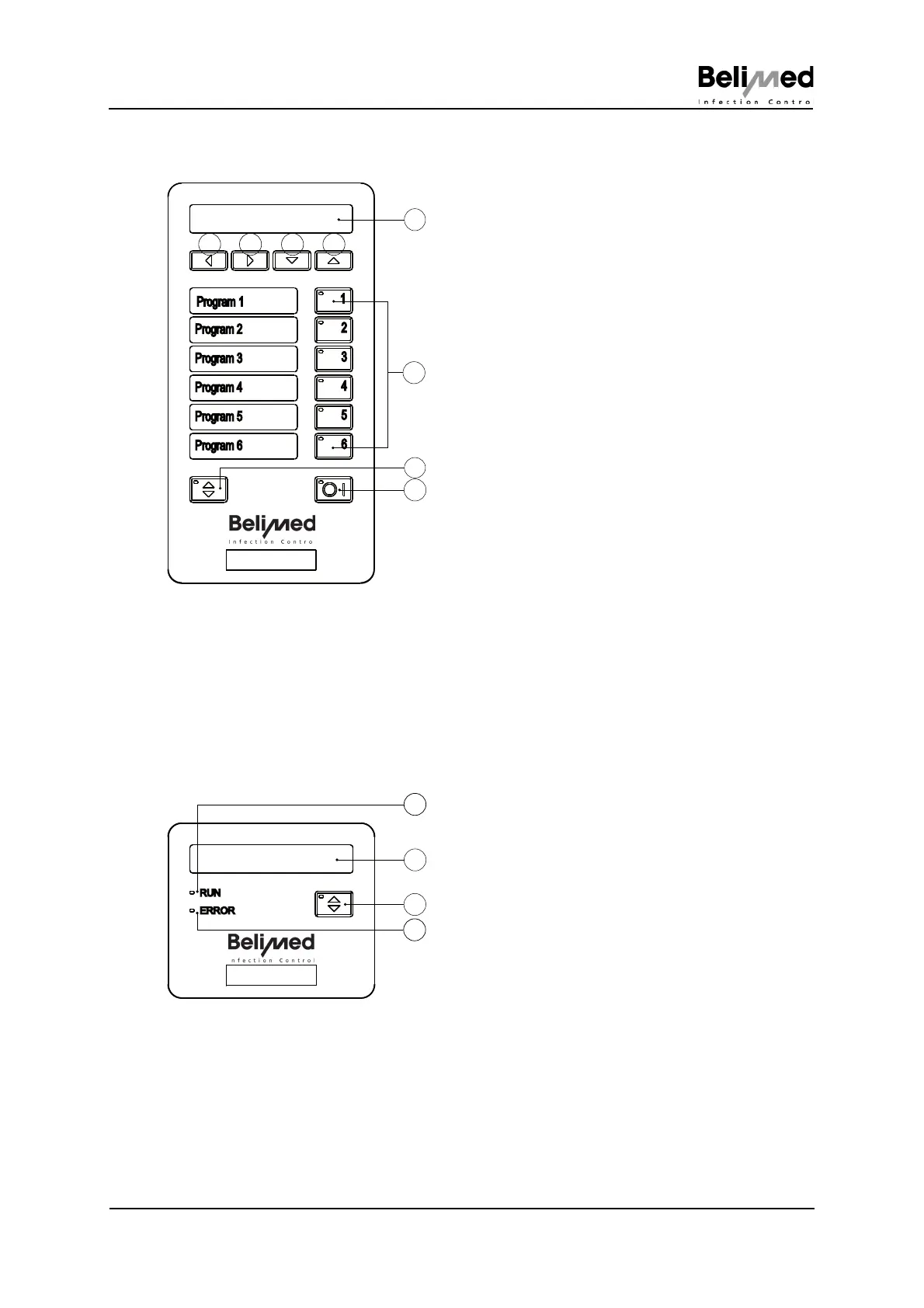
3.3 Controller unclean side (US)
3.4 Controller clean side (CS)
1) Display
– With screensaver "BELIMED INFEC-
TION CONTROL"; this means that
this display automatically appears af-
ter approx. 1 h. Press any button, dis-
play"Program ready" appears again
2) Cursor left
– Print operating data such as program
formula and setup parameters
– Self disinfection On/Off
– IPD verification On/Off
3) Cursor right
– Acoustic signal On/Off
4) Cursor down
– Printer On/Off
5) Cursor up
– Shift button Programs P7 - P12
6) Program buttons
– Selection of Programs P1 - P6, with
Shift P7 - P12
7) Door button
– Opens/close door
8) On/Off button
– Display batch number (press 4 sec-
onds)
1
2
3
4
5
6
Program 1
Program 2
Program 3
Program 4
Program 5
Program 6
1
432
5
6
7
8
Abb 179
1) Display
– With screensaverBELIMED INFEC-
TION CONTROL; this means that this
display automatically appears after
approx. 1 h. Press any button, dis-
play"Program ready" appears again
2) Door button
– Door opens/closes
3) RUN
LED lit = In progress
4) ERROR
LED lit = Fault
(See Chap. 16 "Faults")


 To Next Page