Operating Manual WD 425E
Rev. 1.1, LS Page 24 of 34 78563_E rev 1.1.doc
With „Batch counter“ activated, upon reaching that defined number (e.g. 1000) of batches processed, display
shows that number.
When reaching the selected number of operating hours of blower K17 (e.g. 500), display shows „Blower“.
The service frequency can vary depending on ambient conditions, water quality etc.. A new program may be
activated.
Remedy:
Service mission by contract partner. Increase batch number by 1000.
6.5 Load Cut-off (external)
Display
Peak Load Cut-off
Cause:
Building side peak load management has cut the automat as user from the service (input SA closed). A new
program cannot be activated until the user is released.
6.6 The Machine does not wash properly
1. Are al water connections open?
2. Is there sufficient cleaning and disinfecting additives in the storage containers?
3. Are dosing lines open and permeable?
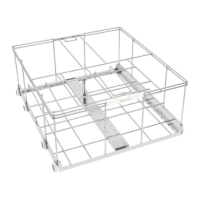
4. Have wash goods been properly loaded on appropriate racks?
5. Are suction and intermediate sieves present or clogged?
6. Are jets on wash arms clogged?
7. Have wash arms been attached properly?
8. Do docking devices properly function?
9. Are water jets on rack clogged?
10. Has rack been properly inserted?
11. Has the appropriate program been selected?
7. Machine does not run
1. Has main switch been activated?
2. Are fuses intact?
3. Has machine door been properly closed?
4. Watch error codes on display!
In case you need to contact Tech Service, be sure to have notes ready to report exactly what operating
processes have been made and which error codes have been displayed. If a printer is connected, print out
operating status in case of malfunction. If at all possible, indicated the machine number, found on machine
tag.



 To Next Page