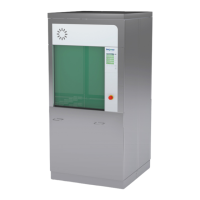
Operating Manual WD 425E
Rev. 1.1, LS Page 32 of 34 78563_E rev 1.1.doc
9. Activate Modem Connection
In case a modem is installed, machine may be connected with Belimed service desk. Prior to connection,
give a telephone call to alert the help desk.
Display Explanation
Program ready
27.04.2001 11:36
In ready mode IO press key for 4 seconds.
Password ?
---
If display shows “Password”, press Door button for 4 seconds.
Remote Support
Initialize Modem
The modem connection is established.
Remote Support
Not Connected
The modem connection could not be established.
Remote Control
Connected
The modem connection is established. The unit is under remote
control.
10. Wash Chamber Cleaning and Maintenance Assignments
10.1 Daily Maintenance
Only a machine that is treated with daily maintenance and periodic service can deliver immaculate results.
Daily checks:
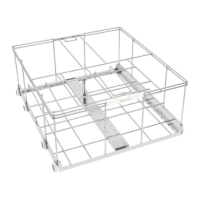
• wash chamber visual check
• clean sieve system, including course sieve must be cleaned, remove foreign objects, reposition all
sieves with great care
• check liquid level in the various storage containers of additives in daily use, replenish as needed
The customer, (usually the technical service of the hospital) is responsible for the periodic maintenance as-
signments. All such work is documented by check list and test journal.
10.2 Annual Qualification Renewal
According to the new CEN norm, the Process Validation must be accomplished in several test
steps (see Appendix EN ISO 15883 – 1 Nov. 2001, Ch. 6, page 35 –37):
A. Type test / Factory test
B. Process validation consists of
- Installation qualification
- operational qualification
- performance qualification
C. Routine test / annual qualification renewal
The following excerpt from chart D.1 of the norm shows, within which test programs and how the
cleaning performance must be checked:



 To Next Page