25
TROUBLESHOOTING
I can’t connect to the Internet wirelessly.
If you are unable to connect to the Internet from a wireless
computer, please check the following items:
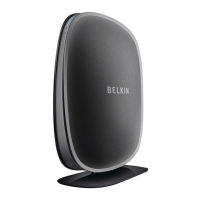
Look at the lights on your wireless router. If you’re using a
Belkin Wireless Router, the lights should be as follows:
• The “Power” light should be on and not blinking.
If this is NOT the case, make sure:
• The router’s power cord is plugged in.
• All cables are connected between the router and the modem.
• All the modem’s LEDs are functioning correctly.
If not, see your modem’s user manual.
• Reboot the router.
• Reboot the modem.
If you continue to have issues, please
contact Belkin Technical Support.
If you are not using a Belkin Wireless Router, consult
that router manufacturer’s user guide.
Power LED does not come ON; Adapter is not working.
If the LED indicators are not ON, the problem may be that the Adapter
is not connected or installed properly. Verify that the Adapter is
plugged firmly into the USB port of your computer. Check to see that
the drivers for the Adapter have been installed. Right-click on the “My
Computer” icon on your desktop. Choose “Properties” and navigate
to the “Device Manager” and see if your USB Adapter is listed without
any errors. If an error is indicated, contact Belkin Technical Support.


 To Next Page