7
Table of Contents 1 3 4 6 7 8 9 105
N+ Wireless USB Adapter
SECTION 2
OVERVIEW
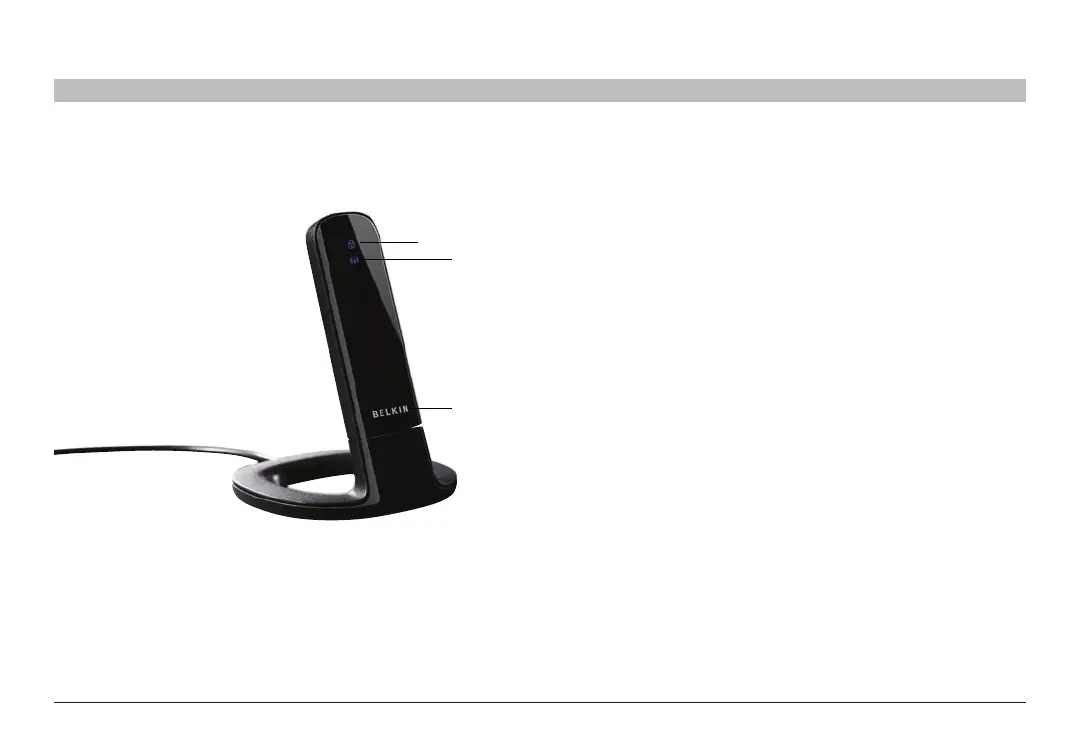
a) Power/ActivityLED
Lights when the Adapter is powered on and flashes when it is active.
(b) WPS/SecurityLED
Indicates security status and provides feedback during Wi-Fi
Protected Setup™ handshaking.
(c) WPS Push Button
Used for Wi-Fi Protected Setup handshaking with routers (on
Windows XP and 2000 systems with the Belkin utility only). This
button is functional on Windows Vista only when the software
application is installed.
(d) USB Connector
Part of the Adapter that fits into your computer’s USB port.
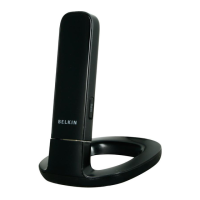
(e) Desktop Stand
Lets you move the Adapter away from interfering
objects around your computer.
SystemRequirements
• PC-compatiblelaptopwithoneavailableUSB2.0bus-powerport
• Windows
®
2000, XP with SP2, or Vista
®
***
Package Contents
•N+WirelessUSBAdapter
•QuickInstallationGuide
•CDwithInstallationSoftwareandUserManual
•DesktopStand
(b)
(a)
(c)


 To Next Page