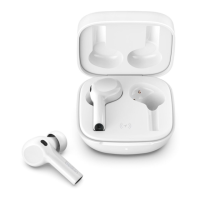
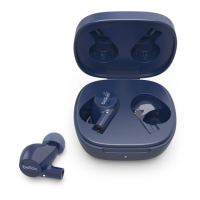
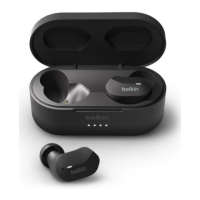
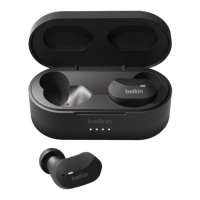
The Belkin SOUNDFORM™ Nano Wireless Earbuds for Kids, PAC003, are designed to provide a high-quality audio experience with a focus on comfort, fit, and durability, specifically tailored for children. These earbuds offer wireless connectivity via Bluetooth®, allowing users to enjoy music, podcasts, and other audio content without the hassle of tangled wires.
Function Description:
The primary function of the Belkin PAC003 earbuds is to deliver audio wirelessly from a connected Bluetooth-enabled device. They are designed for ease of use, featuring touch-sensitive pads on each earbud that enable users to control various functions, including managing calls and audio playback. This intuitive control system simplifies interaction, allowing children to easily pause, play, skip tracks, and answer calls with simple taps or holds on the earbuds. The accompanying charging case serves a dual purpose: it protects the earbuds when not in use and recharges them on the go, ensuring they are always ready for use without needing to find a power outlet.
Important Technical Specifications:
- Connectivity: Bluetooth® wireless technology.
- Charging: Micro-USB for the charging case.
- Battery Indicator: The charging case features LED lights to indicate its charge level:
- Four lights: 100% charged
- Three lights: 75% charged
- Two lights: 50% charged
- One light: Less than 25% charged
- Earbud Charging Indicator: Earbud indicator lights blink while charging and stop blinking when fully charged.
- Pairing Mode Indicator: Earbud indicator lights alternate between blue and white when in pairing mode.
Usage Features:
- Pairing: To pair the earbuds with a device, first ensure both earbuds and the charging case are fully charged. Open the charging case and remove the earbuds. The indicator lights on the earbuds will begin to alternate between blue and white, signifying they are in pairing mode. Users can then connect to the earbuds via their mobile device's Bluetooth settings.
- Touch Controls: The earbuds incorporate touch-sensitive pads for controlling calls and audio playback. Specific functions are performed by tapping or holding on each earbud, offering a streamlined user experience.
- Unpairing: There are two methods to unpair the earbuds from a Bluetooth device:
- Manual Turn Off: Press and hold both earbuds for 6 seconds to turn them off.
- Case Return: Place the earbuds back into the charging case and close the lid.
After turning off the earbuds, users must then remove them from their device's Bluetooth settings. For Android™ devices, navigate to Settings > Connections > Bluetooth, select the paired earbuds, and tap "Unpair." For iOS devices, go to Settings > Bluetooth, tap the information icon next to the paired earbuds under "MY DEVICES," and then tap "Forget This Device." Once unpaired, the device will no longer attempt to connect to the earbuds, and they will need to be set to pairing mode again for future connections.
- Kid-Friendly Design: The "Nano" designation and "for Kids" in the product name suggest a design optimized for smaller ears and potentially more robust construction to withstand typical child usage. The focus on supreme comfort and fit ensures a pleasant listening experience for children.
Maintenance Features:
- Charging Earbuds: To charge the earbuds, simply open the charging case, place each earbud into its designated slot, and close the lid. If the charging case has remaining battery power, it will charge the earbuds without needing to be plugged into an external power source. The earbud indicator lights will blink during charging and stop once fully charged.
- Charging Case: To charge the charging case, connect the micro-USB end of the provided connector to the charging port located at the back of the case, below the lid hinge. Then, connect the USB end of the connector to a power adapter or a USB port on a computer. The LED lights on the charging case will indicate the current charge level, allowing users to monitor its battery status. When all four lights are lit, the charging case is fully charged.
- Durability: The product description highlights "exceptional durability," implying that the earbuds are built to withstand the rigors of everyday use by children, which often involves more wear and tear than adult-oriented devices.
In summary, the Belkin SOUNDFORM™ Nano Wireless Earbuds for Kids, PAC003, are a user-friendly, durable, and comfortable audio solution designed with children in mind, offering intuitive controls and convenient charging for an uninterrupted listening experience.

 Need help?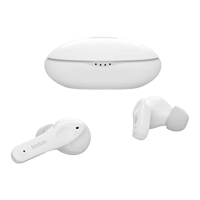

 To Next Page
 General