Minute minder operation/Automatic cut-off
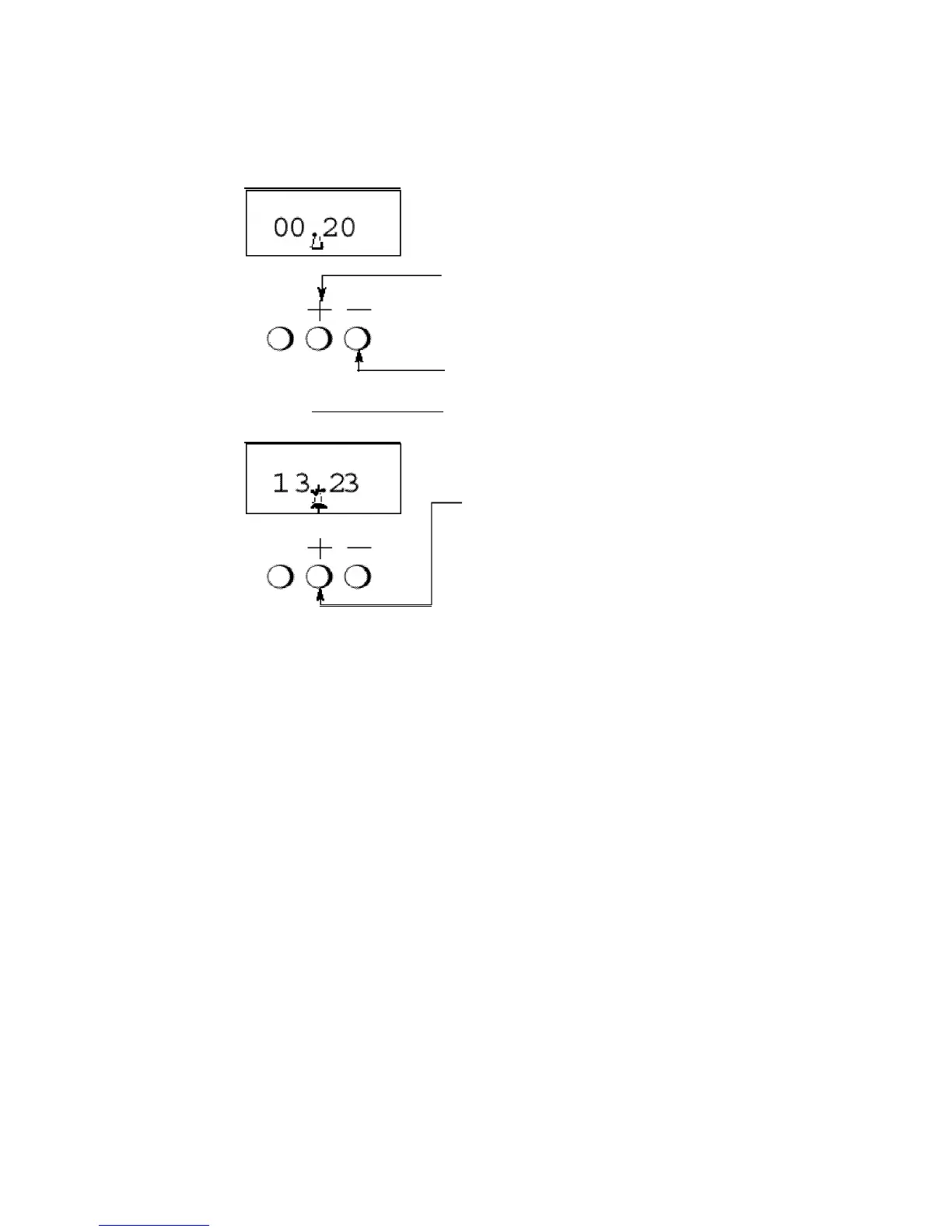
To Set the Minute Minder
Step 'I
Press the "+" button once and release it.
Then press the "+" button again to set the
required time. During setting the time
adjusts in
10
second intervals up to a
maximum of 99 mins 50 secs. The "+"
and "-" signs are used for setting the
required time.
At the end of the set time, a bleeping sound
will be heard and the "bell" will disappear.
The bleeger can be cancelled by pressing
the "+" or "-" buttons.
NOTE:
If necessary the minute minder can be cancelled before the bleeper
sounds.
a)
Press
the "+" button
b)
with the "+" button still held in, press the "-" button untill
"0.00"
appears in the display window.
Sometimes
,
m-symbol appears or disappears during setting operation. A tapping
sound can also be heard. These are normal so must not be considered as a faulty.
If a temperature is selected for the main oven first the oven will switched
off after the set period.
10



 To Next Page