6
Getting to Know the
Control Panel
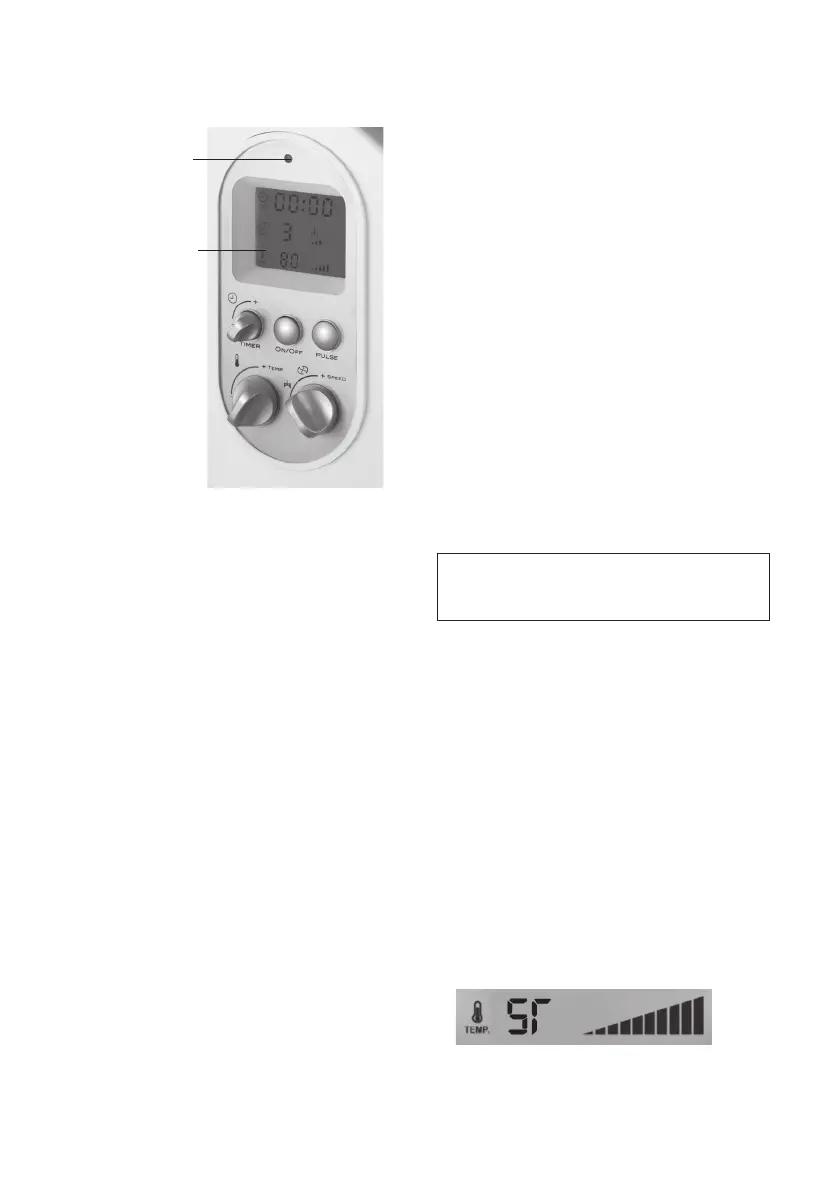
LCD Screen
Power Indicator
Light
Power Indicator Light
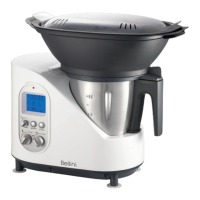
When the Intelli Kitchen Master is connected to
the power supply, a red Power Indicator Light
situated in the upper part of the control panel
will come on and will remain this way until the
machine is disconnected from the electrical
supply. A beep conrms that the machine is
ready to be used. All the functions that appear
on the LCD screen, such as time, speed and
temperature will mark “00”. Press the On/Off
button to turn Intelli Kitchen Master on, the Power
Indicator Light’s colour will change to blue.
Timer Dial
The Timer Dial is used to program the cooking
and/or the preparation time of the ingredients
for a maximum of 60 minutes with this Timer Dial.
Intelli Kitchen Master can be programmed in
minutes with an interval of 1 second for the rst
minute and then in intervals of 30 seconds.
The timing can be increased by turning the Timer
button clockwise, or decrease the time in an
anti-clockwise direction. Intelli Kitchen Master
counts the time down and the initial timing of the
function can be changed if needed.
It is necessary to program the operation time.
ON/OFF Button
This button is used to start the Intelli Kitchen
Master after having selected the time, speed
and temperature (although the temperature
function is not always necessary given the
cooking function). When it is ON, the Power
Indicator Light changes from red to blue and the
appliance begins to perform the programmed
task.
To stop or pause the machine, simply press this
button again.
Pulse Button
The Pulse function is used to mix and chop
ingredients at a very high speed by keeping this
button pressed during the required time usually
of 3 to 4 seconds.
Caution: When using this function , it is important
to note that the ingredients may splash and
might result in burns if the necessary caution is
not taken. It is therefore recommended to Turn
the Measuring cup to lock position when using
Pulse function. Do not use the Mixing tool with this
function.
NOTE: For an added safety measure the
pulse function is only available in the
OFF mode.
Temperature
Intelli Kitchen Master has a temperature range
from 37°C minimum to a maximum of 100°C and
Steam setting (ST) that can be programmed
with the temperature control TEMP. The
temperature is increased or selected by turning
this control in a clockwise direction and reduced
in an anticlockwise direction. The selected
temperature will appear on the screen and a
beep will indicate that the Intelli Kitchen Master
has reached the selected temperature.
This innovative Intelli Kitchen Master comes with
the heating lm technology which is situated in
the base of the bowl and allows the machine
to quickly reach the desired temperature. The
temperature interval is of 10°C and begins from
37°C: 37, 50, 60, 70 until it reaches a maximum of
100°C and Steam setting (ST)


 To Next Page