EasyManua.ls Logo

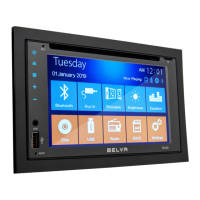
Belva BMV62W - User Manual

Belva BMV62W
24 pages
Print Icon
To Next Page IconTo Next Page
Loading...
BMV62W
Double DIN Car Stereo with Bluetooth
®
Connectivity
OWner’s Manual
BLUETooth AUX USB MICRO SDvideo link

Questions and Answers

  • S
    Susan LambSep 8, 2025
    Why does the sound skip during playback of a Bluetooth audio device on my Belva BMV62W Car Receiver?
    • M
      Mr. David Rodriguez PhDSep 8, 2025
      If the sound skips during playback of a Bluetooth audio device on your Belva Car Receiver, turn off the other devices or increase distance from other devices, because several Bluetooth devices or other devices which emit radio waves are in use nearby.
  • A
    Allison JonesSep 10, 2025
    What to do if the connecting device cannot detect my Belva BMV62W?
    • D
      Daryl SantiagoSep 10, 2025
      If the connecting device cannot detect your Belva Car Receiver, set this unit to pairing standby mode before the pairing is made.
  • J
    John PalmerSep 12, 2025
    What to check if the connected Bluetooth audio device cannot be controlled by my Belva BMV62W Car Receiver?
    • L
      Lisa ThomasSep 12, 2025
      If the connected Bluetooth audio device cannot be controlled by your Belva Car Receiver, check that the connected Bluetooth audio device supports AVRCP.
  • C
    Cody StephensSep 13, 2025
    What to do if no sound is output from the car speakers during hands-free calls with my Belva BMV62W Car Receiver?
    • T
      thomasdawsonSep 13, 2025
      If no sound is output from the car speakers during hands-free calls using your Belva Car Receiver, set the cellular phone to output the sound from the car speakers if the sound is output from the cellular phone.
  • F
    frances97Sep 15, 2025
    Why can't I hear the talker's voice on my Belva Car Receiver?
    • K
      Kaitlyn WatsonSep 15, 2025
      If you cannot hear the talker’s voice on your Belva Car Receiver, connect the front speakers to the unit, because the front speakers are not connected to the unit.
  • G
    grahamvictoriaSep 18, 2025
    Why can't I play items via a USB hub on my Belva BMV62W?
    • E
      Erica SmithSep 18, 2025
      This unit cannot recognize USB devices via a USB hub.

Summary

Installation Guide

Wiring Diagram Overview

Illustrates connection points for speakers and power using ISO connectors.

Radio Operation

Main Interface Overview

Bluetooth Functionality

Bluetooth Pairing and Connection

Guides on pairing mobile devices and troubleshooting connection issues.

Bluetooth Calling Features

Accesses calling interface, dialing, and managing call logs.

Bluetooth Functionality (Continued)

Mirrorlink Functionality

Wired Android Mirrorlink Setup

Connects Android phones via USB for screen mirroring.

Mirrorlink Functionality (Continued)

Wireless Android Mirrorlink Setup

Connects Android phones wirelessly for screen mirroring.

Wireless iOS Mirroring Setup

Connects iOS devices wirelessly for screen mirroring.

Wired iOS Mirroring Setup

Connects iOS devices via USB cable for screen mirroring.

System Settings Configuration

System Settings (Continued)

Troubleshooting Common Issues

General Operational Problems

Addresses common issues like no sound, low volume, or power failures.

Radio Performance Problems

Fixes for radio reception issues, noise, and preset tuning failures.

Troubleshooting (Continued)

USB Device Connectivity Issues

Solutions for USB playback errors, slow loading, and hub recognition.

Bluetooth Audio Playback Issues

Fixes for audio skipping, unresponsiveness, and function failures.

Bluetooth Connectivity Problems

Troubleshoots Bluetooth pairing, connection, device names, and audio quality.

Hands-Free Call Audio Problems

Troubleshoots no sound output from car speakers during hands-free calls.

Call Quality and Volume Adjustments

Fixes for poor call quality, echo, noise, and volume level issues.

Belva BMV62W Specifications

General IconGeneral
Display Size6.2 inches
Display TypeLCD
TouchscreenYes
Resolution800 x 480
DIN SizeDouble DIN
BluetoothYes
USB PortYes
SD Card SlotYes
AUX InputYes
Audio Formats SupportedMP3, WMA
Peak Power Output50 watts x 4 channels
EqualizerYes
Rear Camera InputYes
Steering Wheel ControlYes
Subwoofer OutputYes
AM/FM RadioYes
GPS NavigationNo
Video Formats SupportedMP4, AVI
Power Output4 x 50W
Preamp Outputs3 pairs (Front, Rear, Sub)
TypeCar Receiver

Related product manuals