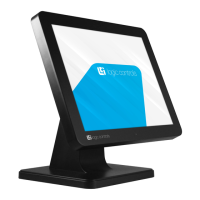
Need help?
Do you have a question about the Bematech LV4000U and is the answer not in the manual?
Compliance with FCC Part 15 rules for Class B digital devices, designed for residential protection against harmful interference.
Specifies processor, operating system, and hardware prerequisites for optimal performance of the DisplayLink software.
Lists recommended hardware for Windows 7/Vista, focusing on Windows Experience Index scores and USB 2.0 port availability.
Step 1: Insert the CD-ROM and click 'USB Monitor Driver' to begin software installation.
Step 2: Click 'I Accept' to agree to the Software End User License Agreement.
Step 3: Watch the progress window for the installation of DisplayLink Core Software and Graphics.
Step 4: The PC recognizes the monitor, launching the 'Found New Hardware' wizard for setup.
Step a: Right-click the Windows Desktop and select 'Properties' to open the Display Properties window.
Step b: Go to the 'Settings' tab to view and manage connected USB monitors.
Addresses troubleshooting steps for a monitor with no image or power, involving cable checks and driver installation verification.
Guides users on resolving screen freezing by adjusting hardware acceleration settings to 'Full' in Display Properties.
Provides steps to fix a blank screen issue, often related to the correct installation of the USB monitor driver.
 General
| Resolution | 1024 x 768 |
|---|---|
| Brightness | 350 cd/m² |
| Viewing Angle | 178° (H) / 178° (V) |
| Response Time | 8 ms |
| Aspect Ratio | 4:3 |
| Storage Temperature | -20°C to 60°C |
| Video Input | USB |
| Power Supply | 12V DC |
| Operating Temperature | 0°C to 40°C |


 To Next Page