39
38
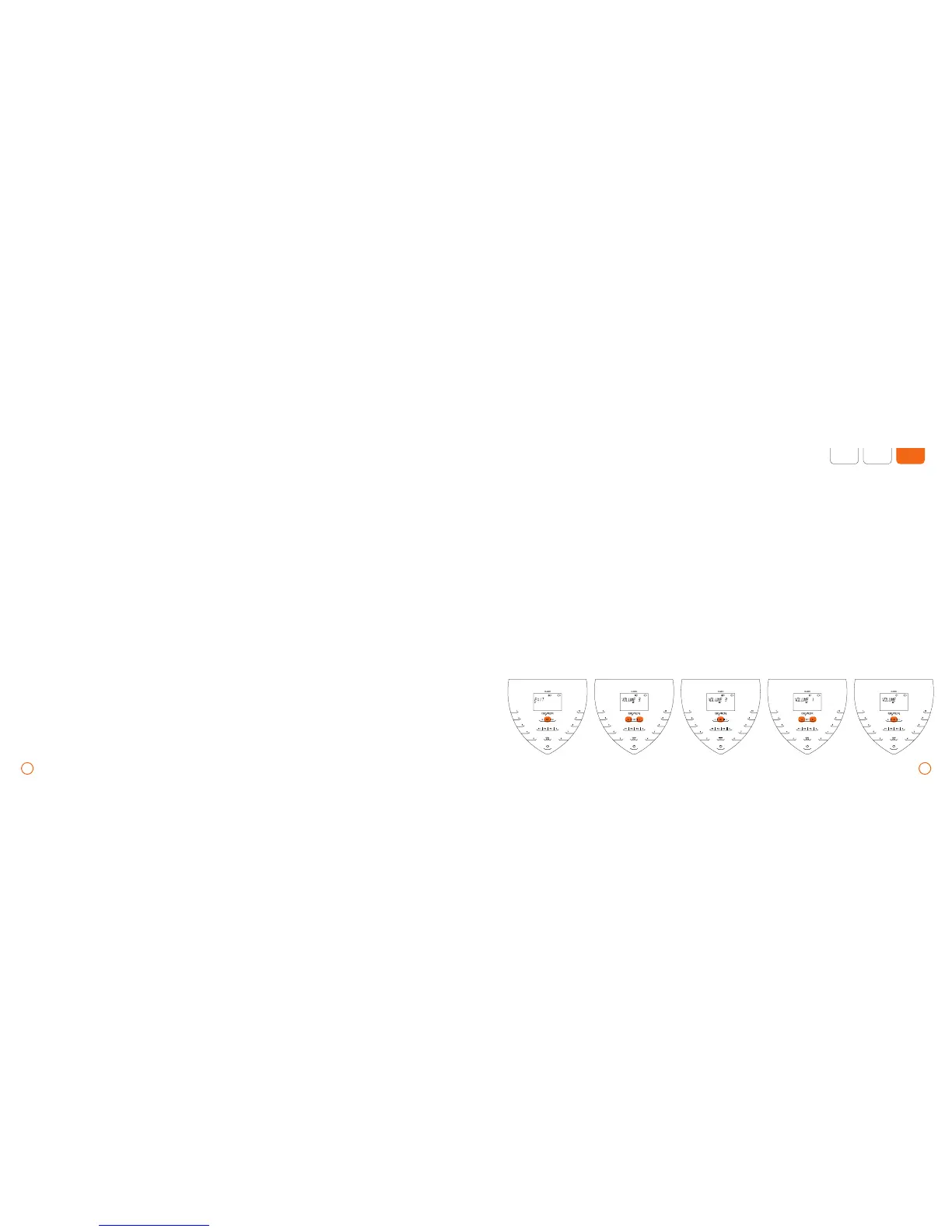
Example – settings VOLUME
Setting the display brightness
•
Press and hold down the [SET] key to
activate the settings menu.
•
Using the arrow keys, select [Display]
and confirm with [SET].
The parameters [PLUS] and [INTENSITY]
can be adjusted to become the default
setting in the settings menu. To access this
menu, press and hold down the [SET] key.
You can select the parameters [PLUS] or
[INTENSITY] by using the arrow keys. To
exit the menu, select [EXIT] with the arrow
keys and confirm with the [SET] key.
Setting the plus Signal as default
•
In the settings menu, select the menu item
[PLUS] with the arrow keys and confirm
with [SET].
•
By using the arrow keys, the plus Signal can
be switched on/off.
•
Once the selection has been made,
confirm with [SET]. Now the plus Signal
has been switched on or off.
•
Set the desired brightness by using
the arrow keys.
The display brightness corresponds
to the current selection.
•
Confirm selection with [SET].
To access the system information
•
Press and hold down the [SET] key
to activate the settings menu.
•
Select the menu item [INFO] by using
the arrow keys and confirm with [SET].
•
Now continue to your selection by
using the arrow keys.
Setting the signal volume
•
Press and hold down the [SET] key to
activate the settings menu.
•
With the arrow keys, select [VOLUME]
and confirm with [SET].
•
Then choose the desired signal volume
by using the arrow keys.
The selection will always be acknowledged
with a signal at the chosen volume.
•
Confirm selection with [SET].
Default settings – application parameters/basic settings – B.BOX Classic
Default setting signal intensity (only
with the B.PAD)
While traveling, the B.PAD can be used as
a substitute for the B.BODY by reducing
the intensity to [LOW].
•
Select the menu item [INT] in the settings
menu using the arrow keys and confirm
with [SET].
•
Using the arrow keys, you can choose
between [HIGH] (high intensity) and
[LOW] (low intensity).
•
Once the selection has been made,
confirm with [SET].


 To Next Page