Need help?
Do you have a question about the Bemer Pro Ser and is the answer not in the manual?
Explains symbols used in the manual for warnings, eye protection, and disposal.
Advises consulting a physician, stopping use if adverse reactions occur, and safe skin contact.
Lists conditions where BEMER application is strictly not recommended, such as immunosuppressive therapy.
Lists medical conditions where consulting a physician before BEMER use is strongly recommended.
Advises caution for individuals with carotid sinus sensitivity and those with implanted medical devices.
Emphasizes clarifying health issues with a physician and potential medication interactions.
Discusses using BEMER with active implants and its role as a complementary therapy.
Lists situations requiring caution, such as tendency to hemorrhage or cardiac rhythm disorders.
Provides specific safety advice for using the B.LIGHT applicator module, including eye protection.
Details the 10 intensity levels and 3 predefined programs available on the B.BOX.
Details the steps for connecting the power cord and adapter to start the B.BOX.
Explains how to switch the unit on/off and its automatic switch-off feature after inactivity.
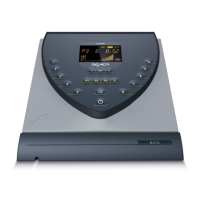
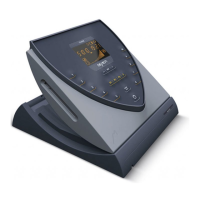
Identifies and explains the various elements displayed on the B.BOX Classic screen.
Details how to select intensity, applicator module, and start a short application.
Explains how to adjust and save the default display brightness.
Identifies and explains the various elements displayed on the B.BOX Professional screen.
Explains the display of application progress, levels, and time in the B.BOX Professional.
Highlights the ability to control two different applicator modules independently.
Guides on performing a short application with intensity levels 1-10 on the B.BOX Professional.
Explains how to adjust and set default parameters like PLUS and INTENSITY in the settings menu.
Details how to set the PLUS signal (on/off) as a default setting.
Explains how to set the default signal intensity (HIGH/LOW) for the B.PAD.
Guides on adjusting and saving the default signal volume in the settings menu.
Explains how to adjust and save the default display brightness.
Guides on setting and saving the current time on the B.BOX Professional.
Details how to activate or deactivate the Power Save mode and its impact on machine operation.
Provides step-by-step instructions for removing the old battery and installing a new one.
Details the steps for opening the compartment, inserting, and securing the rechargeable battery.
Details how to clean BEMER products, emphasizing using a damp cloth and mild detergent.
Lists initial checks for common issues like power connection and applicator connection.
Explains how to switch off error messages and lists common error codes and their causes/solutions.
 General
| Therapy | Pulsed Electromagnetic Field (PEMF) |
|---|---|
| Programs | Pre-set and customizable programs |
| Display | LCD |
| Type | PEMF Therapy Device |
| Power Supply | Mains adapter |
| Dimensions | Varies depending on the control unit and applicators |


 To Next Page