51
50
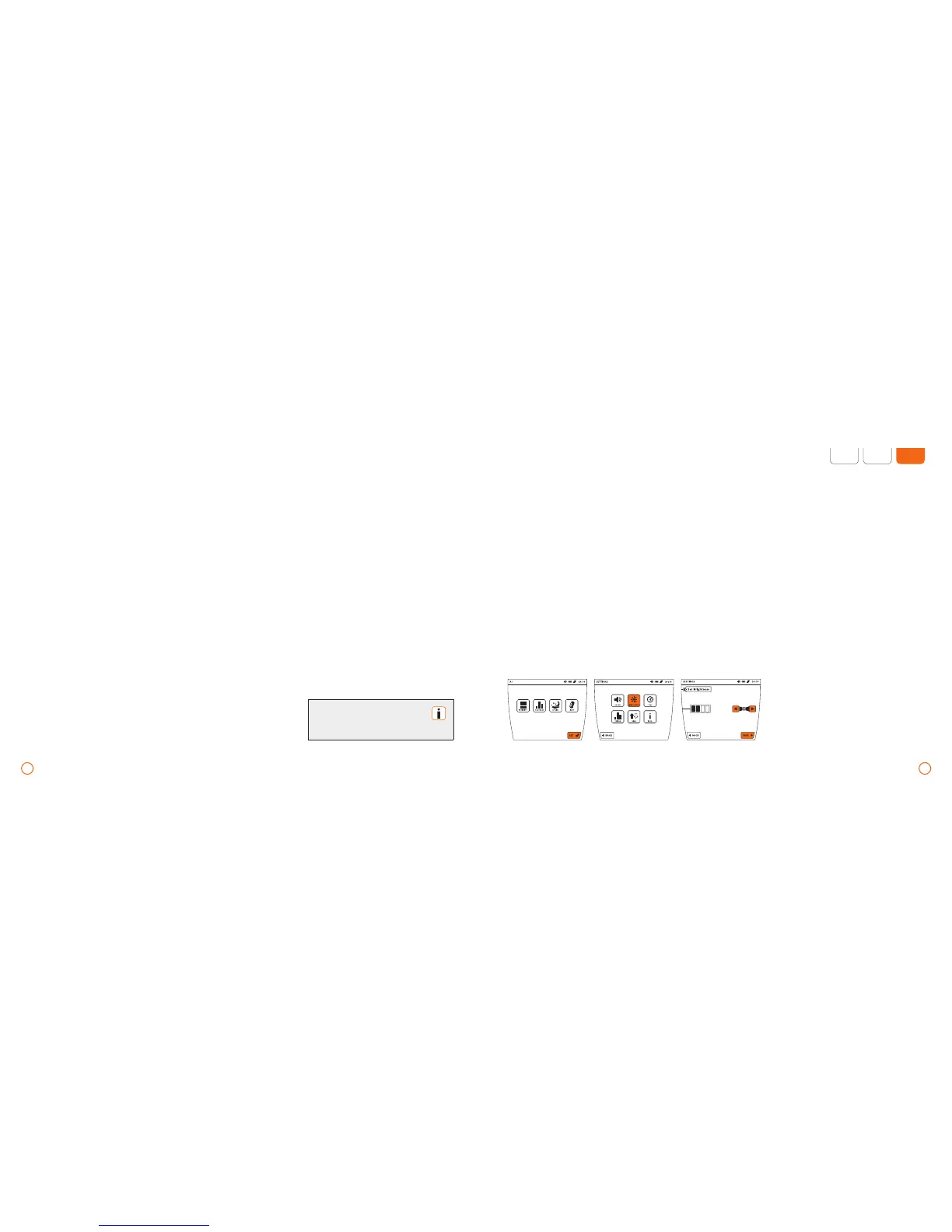
Example – setting the display brightness
The parameters [PLUS] and [INTENSITY]
can be adjusted to be the default setting.
Setting the plus Signal as default
•
To switch the plus Signals on/off, press the
[PLUS] button before starting the program.
Default setting signal intensity
(only for B.PAD)
While traveling, the B.PAD can be used as
a substitute for the B.BODY by reducing
the intensity to [LOW].
•
Press the [SET] button.
•
Press the [HIGH/LOW] button. When
pressed, the button switches from [HIGH]
to [LOW] and vice versa.
Setting the signal volume
•
Press the [SET] button.
•
Press the [VOLUME] button.
•
Set the desired signal volume with
the help of the arrow keys.
•
The selection is always acknowledged
by a signal at the chosen volume.
•
Press the [SAVE] button to save
your settings.
Confirmation of the [SET]
button is possible only if
no application is active.
Default settings – application parameters/basic settings – B.BOX Professional
Adjusting the display brightness
•
Press the [SET] button.
•
Press the [BRIGHTNESS] button.
•
Now set the brightness with the help
of the arrow keys. The display will appear
at the desired brightness.
•
Press the [SAVE] button to save
your settings.
To access the system information
•
Press the [SET] button.
•
Press the [INFO] button.
•
Press the [OK] button to
close the [INFO] window.
Setting the time
•
Press the [SET] button.
•
Press the [TIME] button.
•
Now set the current time with
the help of the arrow keys.
•
Now press [SAVE] to save
your settings.


 To Next Page