12
First-Time Setup
- Ensure that all motors/sensors work by observing the sequence described on section 2-I. Any major
anomaly, if present, should be seen at this point.
- Run through the ‘Programming Mode’ options and define your desired settings, like credits settings,
sound volumes, etc. (See Section 5 for Benchmark’s defaults).
- Confirm your settings to ensure they are what you wanted.
Setting up Coin Comparator
- The Coin Comparator is a section of the Coin Mech. that compares one your tokens or quarter to the
inserted coin by the player. If the coins do not match, the Coin Mech. will return the inserted coin to the
player.
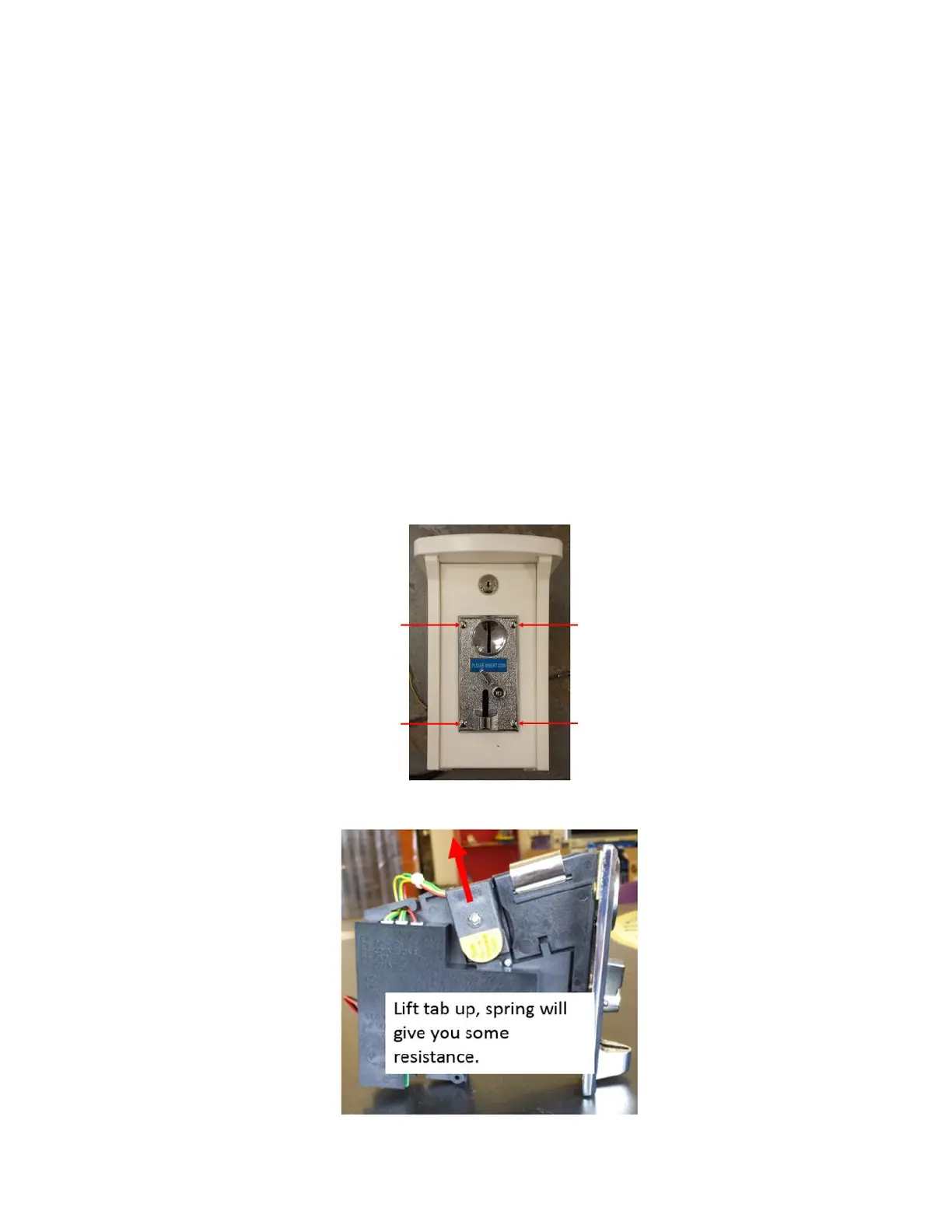
- The Coin Mech. is attached to the button assembly.
- Detach the Coin Mech. by unscrew the lock nuts on the back of the four carriage bolts that hold the
Coin Mech. in place.
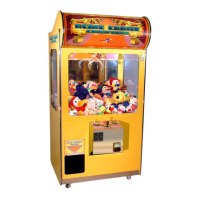
- Pull up on the tab on the Coin Mech. that states, “Slide to replace coin”.



 To Next Page