---
---
--
I
1-1
IZI
CI
1-1
I
LI
-I.
-I
r-,
NM
KT
M#N FRQ
II
II
ENR
7
7
RNV
11s
USE DSP
N
L
PUN
out compartment
to replace batteries
lhn
on
the
KNS
80
1.Turn the system on by rotating the ON/OFF switch clockwise. This
control is also a push-pull switch. The “out” position allows you
to
hear VOR/LOC ident tones. The “in” position mutes the ident tones.
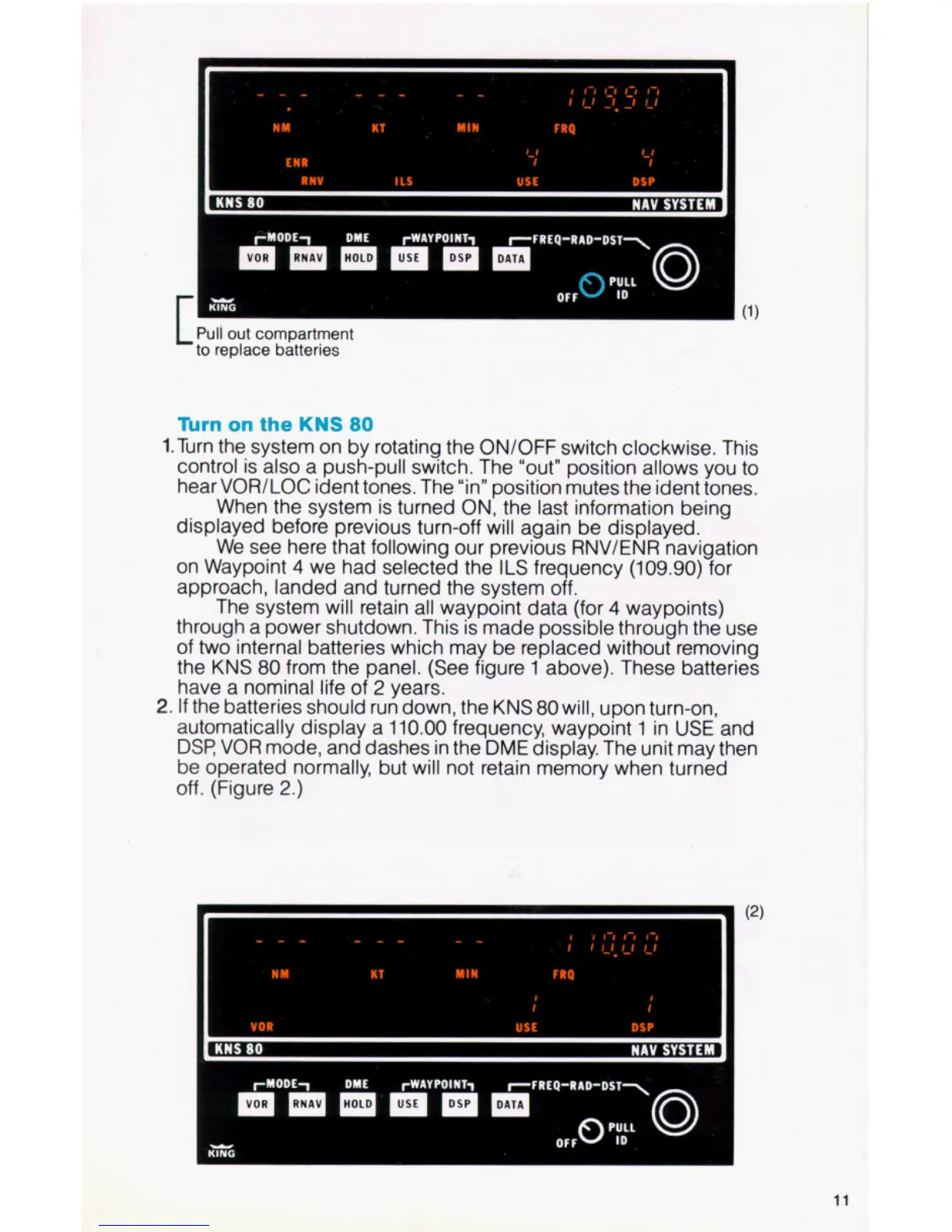
When the system is turned ON, the last information being
displayed before previous turn-off will again be displayed.
We see here that following our previous RNV/ENR navigation
on Waypoint
4
we had selected the
ILS
frequency
(109.90)
for
approach, landed and turned the system off.
The system will retain all waypoint data (for
4
waypoints)
through a power shutdown. This is made possible through the use
of two internal batteries which may be replaced without removing
the KNS
80
from the panel. (See figure
1
above). These batteries
have a nominal life of
2
years.
automatically display a
110.00
frequency, waypoint
1
in
USE
and
DSR
VOR mode, and dashes in the
DME
display. The unit may then
be operated normally, but will not retain memory when turned
off. (Figure
2.)
2.
If
the batteries should run down, the KNS
80
will, upon turn-on,
11


 To Next Page