TNT249S
21
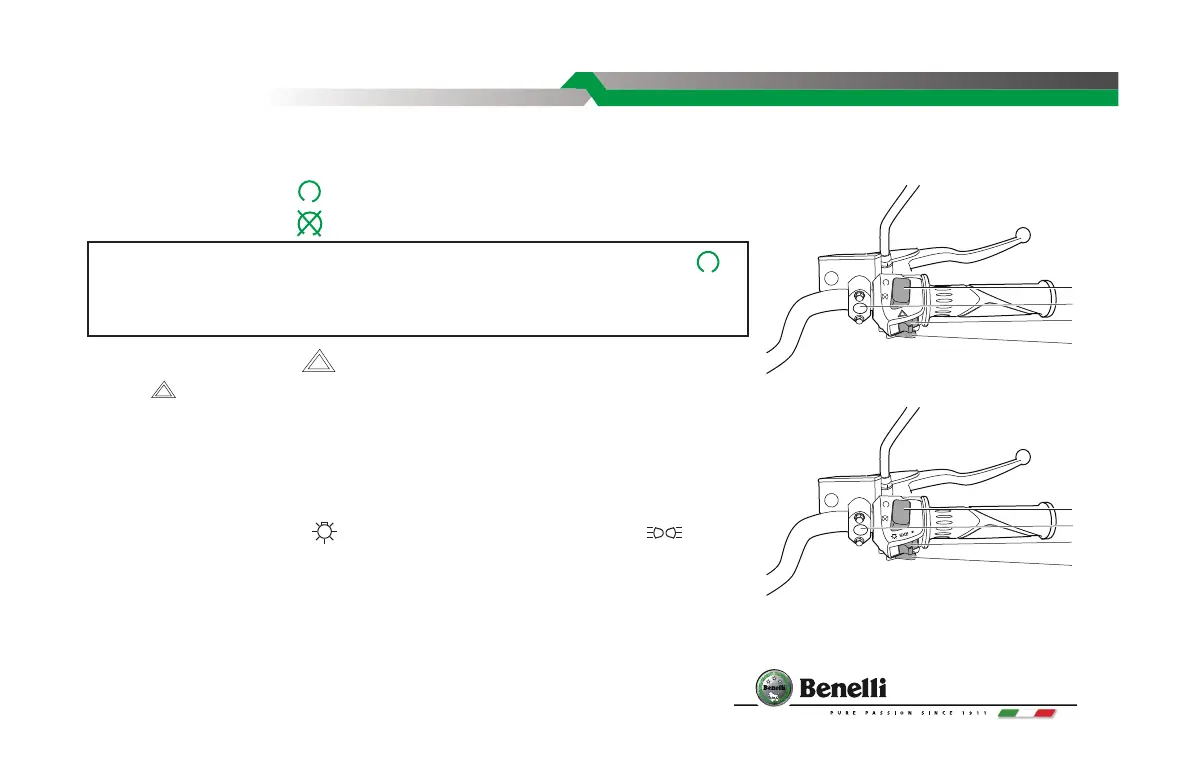
RIGHT HANDLE
1. ENGINE STOP SWITCH
When the switch is on " " position and the power is on, the engine runs.
When the switch is on " " position and the power is o, the engine will not run.
2. HAZARD SWITCH” ”
Turn to “ ” and the four direction signal lamps would ash to warn for emergency
situation;turn to "●" for daytime driving.
3. ELECTRIC STARTER BUTTON
Pull the clutch lever or put in Neutral gear and press the button to run the electric
motor and start the engine.
4. LIGHT SWITCH
Turn switch to position of " " to light up the front lamp; Turn to " " to light
up meter lamp, city light and tail lamp; turn to "●" for daytime driving.
5. METER FUNCTION BUTTON
In ODO mode, turn o the key. To adjust the clock, turn on the key switch and immediately
long press the set button, when released, the hour digit will start ashing on the meter.
Short press the set button to change the number, or long-press to move the ashing digit
PRIMARY PARTS
Note:Under normal conditions, this switch shall be on "Operate" ( )
position. Use this switch under emergency situation, for example accident
or key switch problems.
1
2
5
3
1
4
3
or
Without Headlight Switch
With Headlight Switch
5



 To Next Page