SJ-PM-TFmini Plus-T-01 A01
Benewake (Beijing) Co. Ltd.
Page13
Serial port Pixhawk data format
The data output is in the format of character string and its unit is m(meter). For example, if the measurement
distance is 1.21m, the string 1.21 will be output, followed by the escape character \r\n.
5.4 Descriptions of default Output Data
Dist(Distance): Represents the output of the distance value detected by TFmini Plus, with the unit in cm
by default. This value is interpreted into the decimal value in the range of 0-1200. When the signal strength
is lower than 100 or equal to 65535, the detection is unreliable, TFmini Plus will set distance value to 0.
Strength:Represents the signal strength with the default value in the range of 0-65535. After the distance
mode is set, the longer the measurement distance is, the lower the signal strength will be; the lower the
reflectivity is, the lower the signal strength will be. When the signal strength is lower than 100 or equal to
65535, the detection is unreliable, TFmini Plus will set distance value to 0.
Temp(Temperature): Represents the chip temperature of TFmini Plus. Degree centigrade = Temp / 8 -256
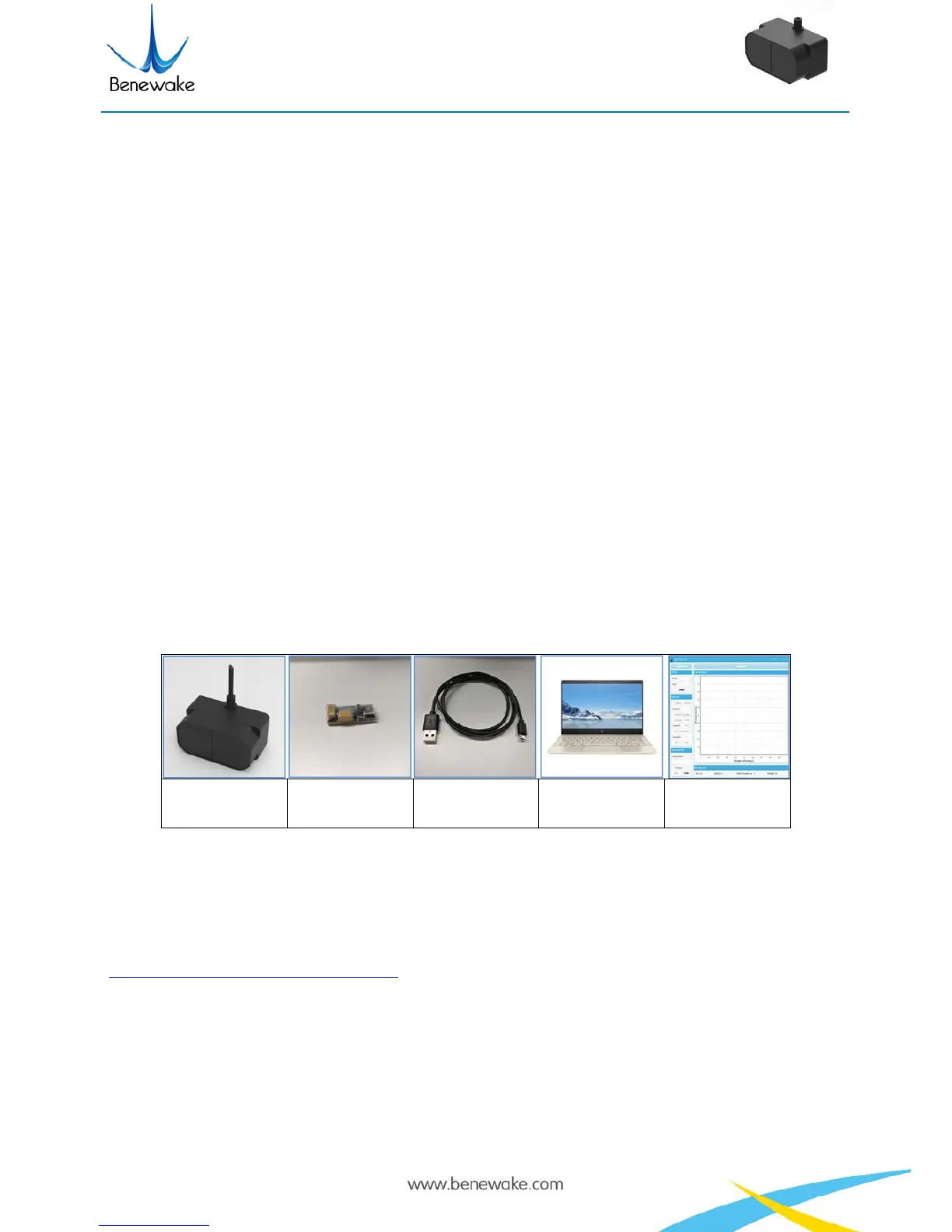
6 Quick Test
6.1 Required Tools of Product Test
TFmini Plus
TTL - USB
converter
USB cable PC Test software
6.2 Test Procedures
① Download the Test software
Please download the Test software of TFmini Plus at our official website
(http://www.benewake.com/en/down.html).
Caution: please shut down any anti-virus software before uncompressing the PC software. Otherwise,
maybe the software is deleted as virus. The software is only runnable under Windows environment for the
time being. Please refer to Attachment 1 - Product manual of TF Test software.


 To Next Page