01/ 2019
BENNING PV 3
10
5.1 Einschalten/Ausschalten
+
Press and hold the buttons
2
and
3
for 2 seconds to switch the
BENNING PV 3 on or off.
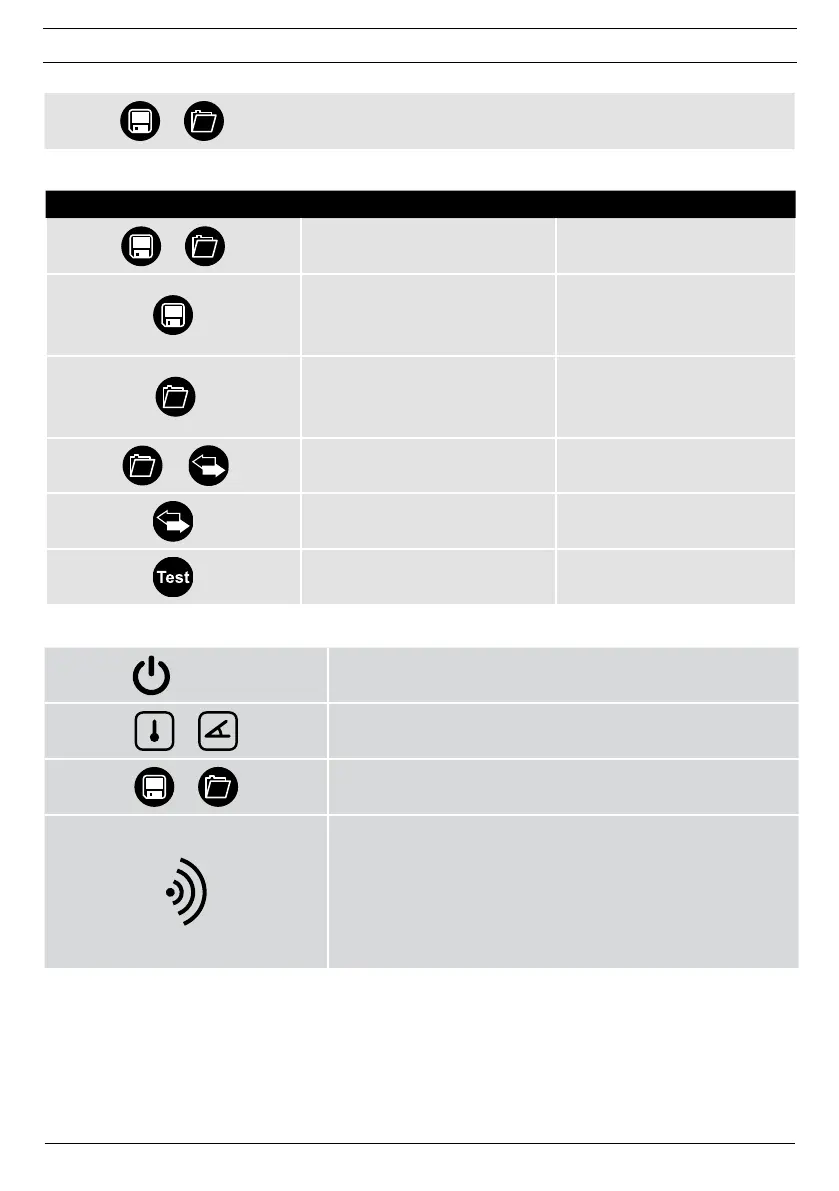
5.2 Key functions
Key Press once Press + hold
+
Switches the device ON/OFF
Store:
stores the measuring results,
next storage location in recall
mode
Recall:
calls measured values,
previous storage location in recall
mode
+
Completely deletes the
measured value memory
Sends measured value
memory to USB port
Starts measurement
5.3 Coupling with BENNING SUN 2 (optional accessories)
OFF
Remove other electronic devices in direct vicinity.
Switch off the BENNING PV 3 and the BENNING SUN 2.
+
Press and hold both keys of the BENNING SUN 2.
+
Simultaneously press and hold both keys
2
and
3
of the
BENNING PV 3.
The BENNING SUN 2 sends a coupling signal with the individual
serial number of the device.
The BENNING PV 3 stores the signal for future radio connection
and signals successful coupling via an acoustic signal and by
showing “connected” on the display.
The coupling process only takes a few seconds.
The "W/m
2
" symbol is shown on the LC display
1
of the
BENNING PV 3.



 To Next Page