BenQ DC 2410 User’s Manual
13
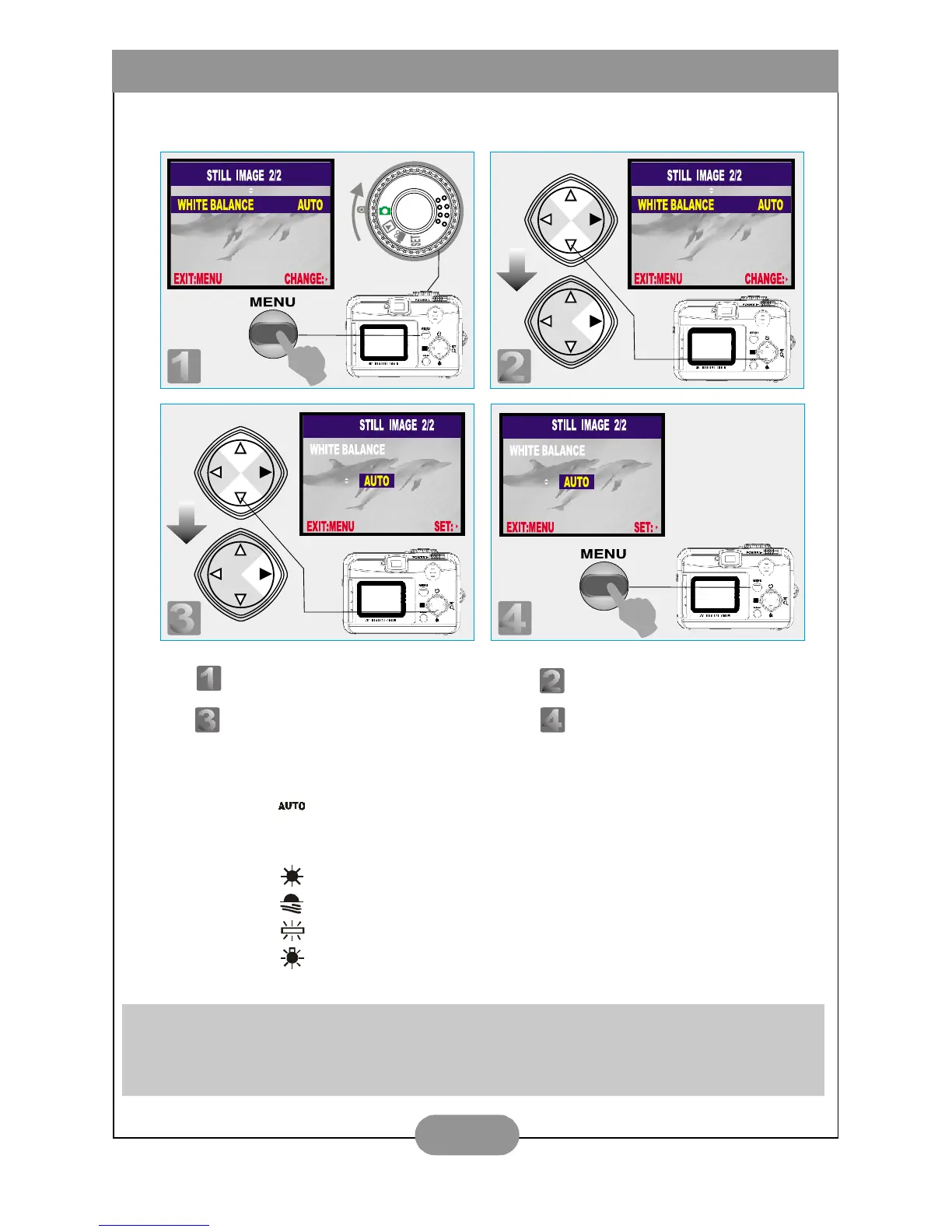
X. Set Up White Balance (Preset at Auto White Balance)
There are five modes can be selected which are:
( ) Auto White Balance: The camera will adjust the white balance by
itself. It is suggested that the user stay with this mode unless the light
environment is very different from normal.
( ) Daylight: For strong light environment.
( ) Sunset: For sunset light environment.
( ) Fluorescent: For fluorescent light environment.
( ) Tungsten: For tungsten light environment.
Note
It is suggested to stay Auto mode for beginners.
Step : To enter the setting mode. Step : To select and enter the option.
Step : To select and confirm the option. Step : To escape the setting.



 To Next Page