English
Using the Camera4
3 Using the Camera
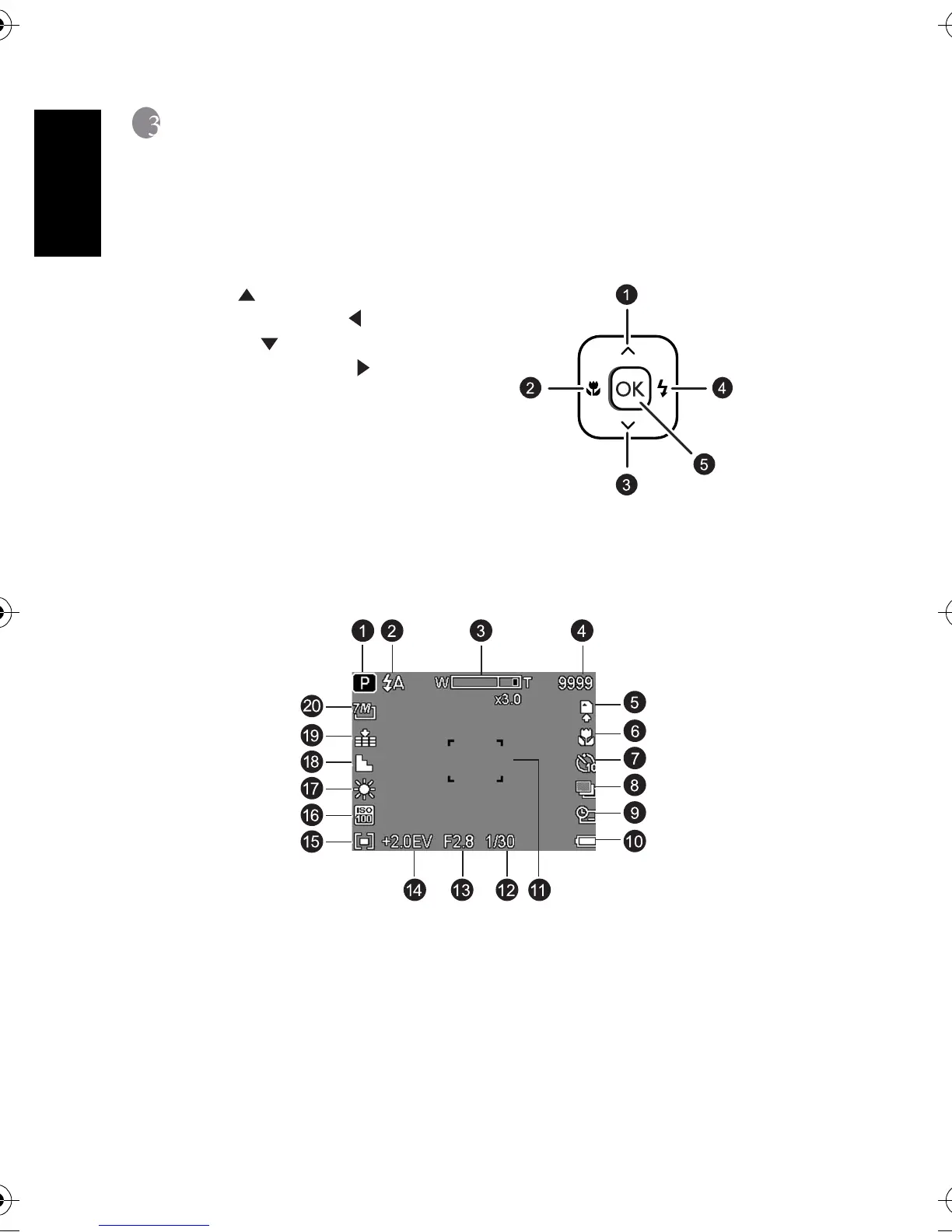
3.1 Navigator
You can use the Navigator with four-way control and one OK button to access numerous
controls of your camera.
3.2 LCD monitor information (REC mode)
1. Scene mode 11. Focus area
2. Flash 12. Shutter speed
3. Zoom indicator 13. Aperture value
4. Shots remaining 14. Exposure
5. Storage media 15. Metering
6. Macro 16. ISO
7. Self-timer/Burst 17. White Balance
8. AEB 18. Sharpness
9. Date stamp 19. Quality
10. Battery 20. Resolution
1. Up or Play (video playback only)
2. Focus mode or left
3. Down
4. Flash mode or right
5. OK
DC_C540_740_UM.book Page 4 Monday, August 21, 2006 11:46 AM



 To Next Page