Application instructions 11
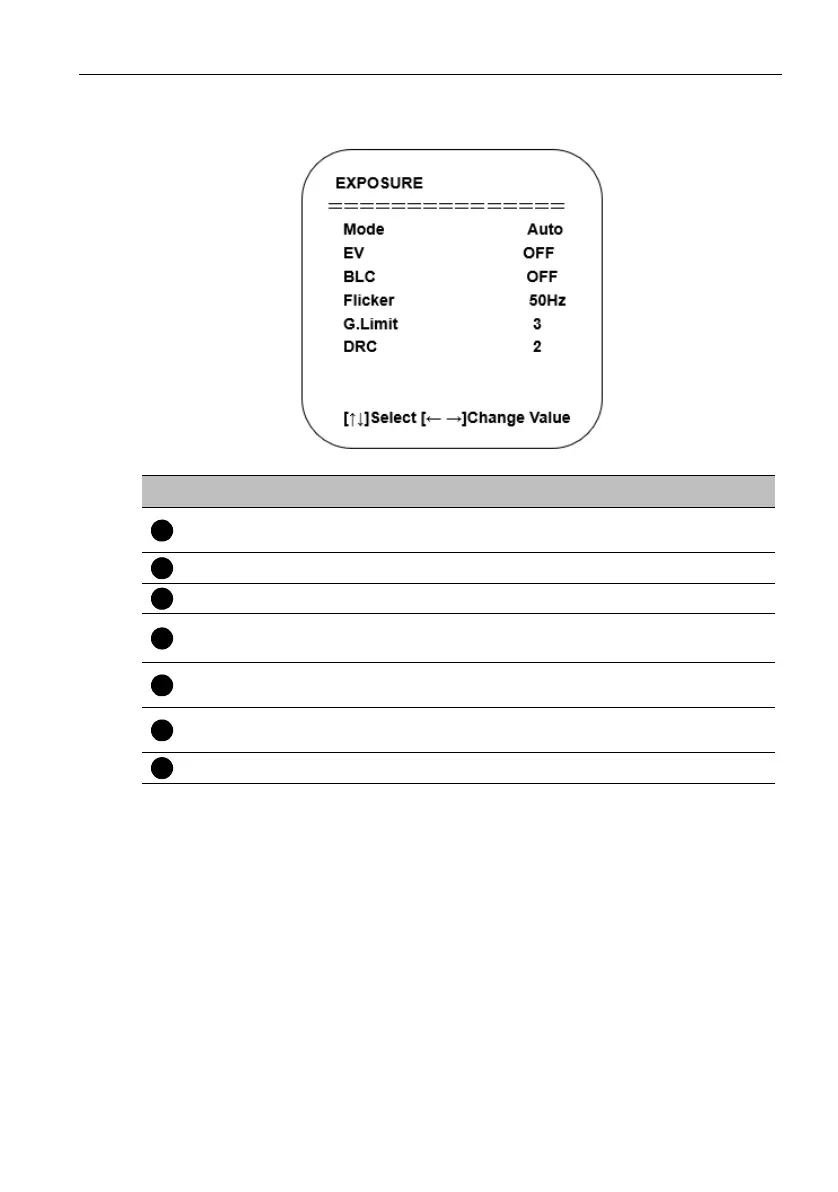
3. Exposure Setting: Move the pointer to EXPOSURE in the Main Menu, click “HOME”
and enter the (EXPOSURE SET) as follows:
No. Name Descriptions
Mode
Auto, Manual, Shutter priority, Iris priority and
Brightness priority.
EV On/Off (only available in auto mode)
Compensation Level -7~7 (only available in auto mode when EV is ON)
BLC
ON/OFF for options (only available in auto mode)
Dynamic range: adjustable items 1~ 8, close
Anti-Flicker
OFF/50Hz/60Hz for options (only available in Auto/
Iris priority/Brightness priority modes)
Gain Limit
0~15 (only available in Auto/Iris priority/Brightness
priority mode)
DRC Close, 1~8


 To Next Page