Application instructions8
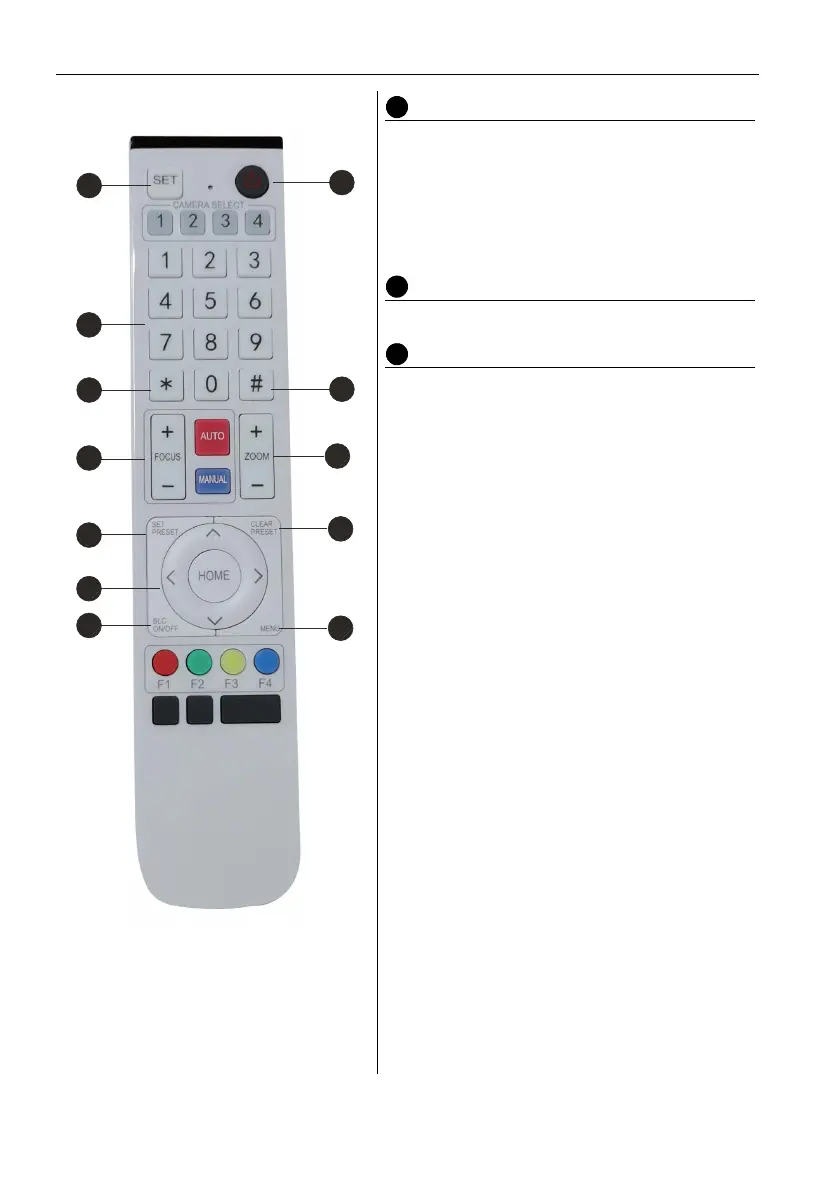
Electronic Pan/Tilt Control Key
Press Key:
Press Key:
Press Key:
Press Key:
“HOME” Key: Return to the middle position or
enter into the sub-menu.
BLC Control Key
Back Light ON/OFF: Turn on or off the back light
Menu Setting
Open or close the OSD menu
Enter/exit the OSD menu or return to the
previous menu
2
3
4
7
3
6
8
1
5
3
6
9


 To Next Page