Application instructions 15
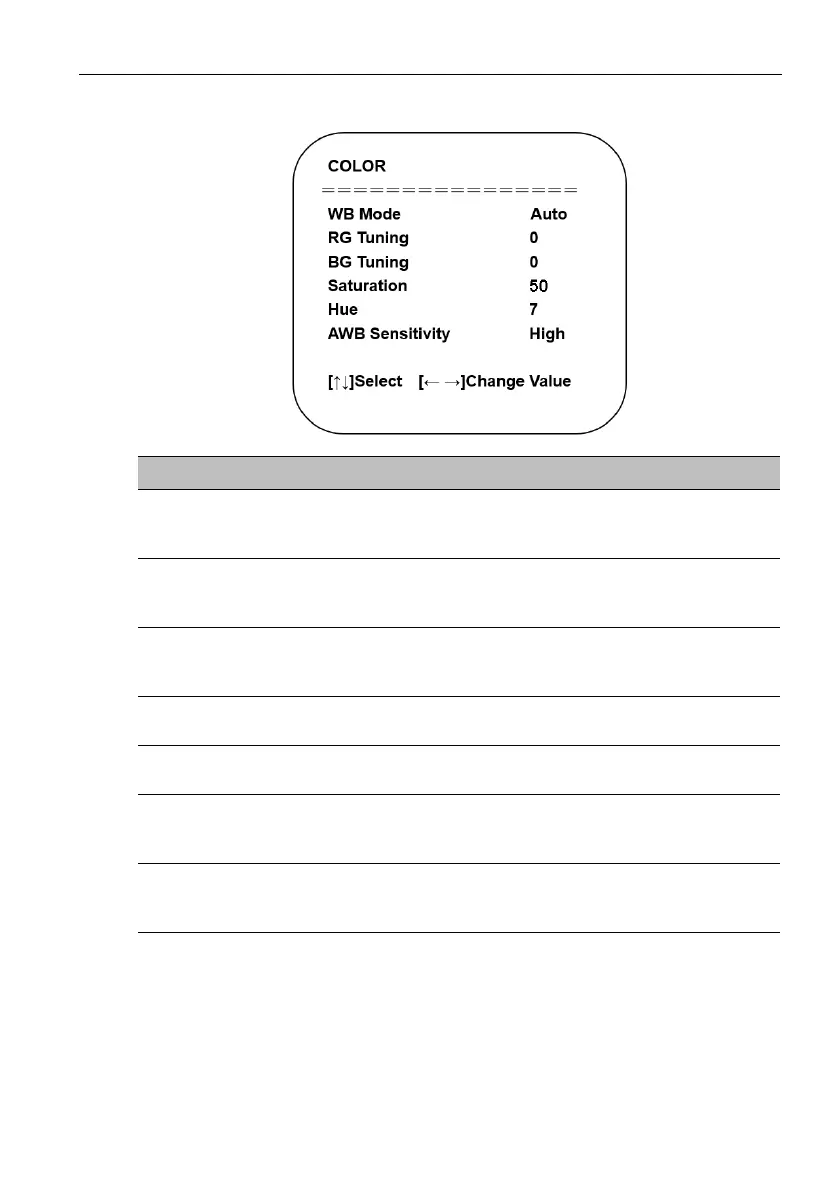
Color:
Name Descriptions
WB Mode
Configures the white balance setting to preset modes
based on the settings listed below.
The options include: Auto / Manual / One Push / VAR
RG Tuning
Adjusts the amount of red in the image (only available in
Auto or Manual mode).
Select a value from -10 to 10 (by intervals of 1).
BG Tuning
Adjusts the amount of blue in the image (only available in
Auto or Manual mode).
Select a value from -10 to 10 (by intervals of 1).
Saturation
Adjusts the amount of color saturation in the image.
Select a value from 0 to 50 (by intervals of 1).
Hue
Adjusts the hue level in the image.
Select a value from 0 to 8 (by intervals of 1).
AWB Sensitivity
Selects the level of sensitivity for the auto white balance
feature (only available in Auto mode).
The options include: High / Middle / Low
Color Temp
Adjusts the color temperature value for the image (only
available in VAR mode).
Select a value from 2400K to 7100K (by intervals of 100).



 To Next Page