Application instructions16
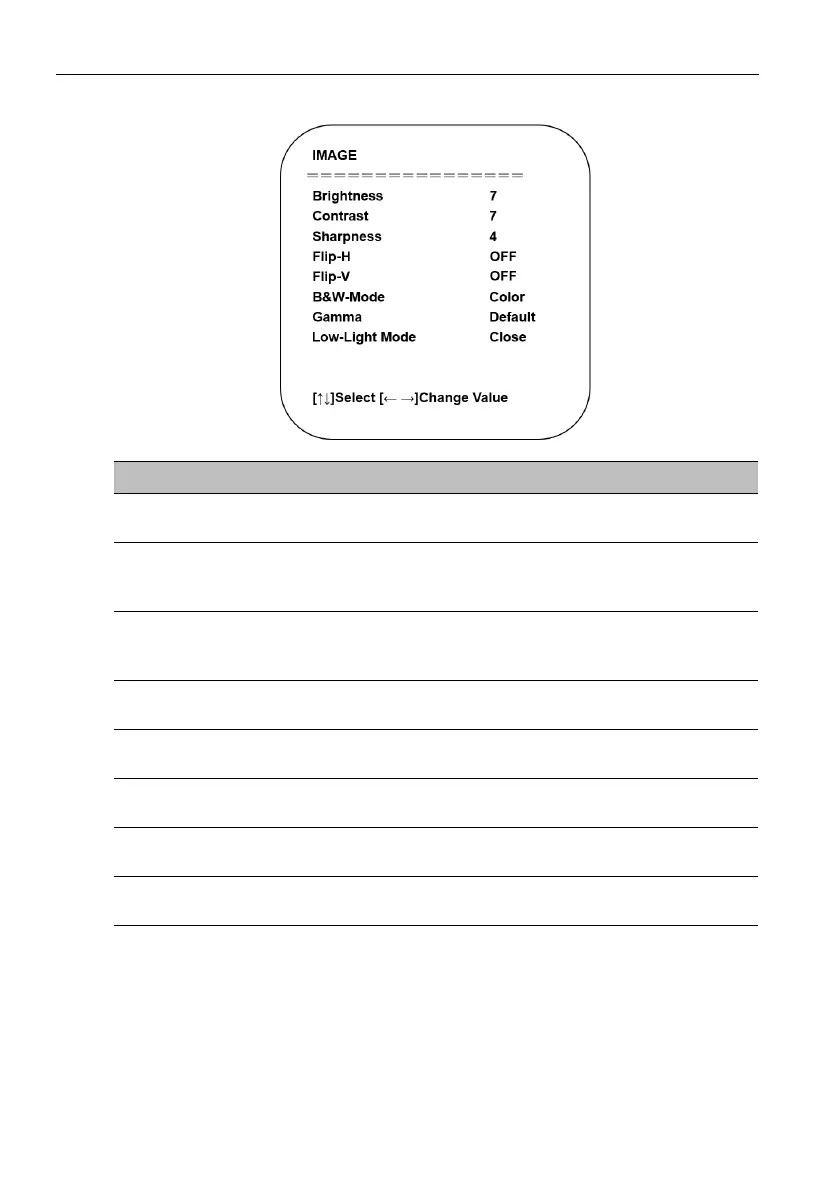
Image:
Name Descriptions
Brightness
Adjusts the brightness level for the image.
Select a value from 0 - 100 (by intervals of 1).
Contrast
Adjusts the contrast level (the difference between dark and
light colors) for the image.
Select a value from 0 - 100 (by intervals of 1).
Sharpness
Adjusts the sharpness level (the distinctness between
different tones or colors) for the image.
Select a value from 0 - 15 (by intervals of 1).
Flip-H
Flips the image horizontally.
The options include: ON / OFF
Flip-V
Flips the image vertically.
The options include: ON / OFF
B&W Mode
Toggles the image between color or black and white.
The options include: Color / Black/White
Gamma
Adjusts the tone luminance.
The options include: Default / 0.34 / 0.39 / 0.47 / 0.50
Low-Light Mode
Enables/Disables low-light mode.
The options include: Close / Open



 To Next Page