25
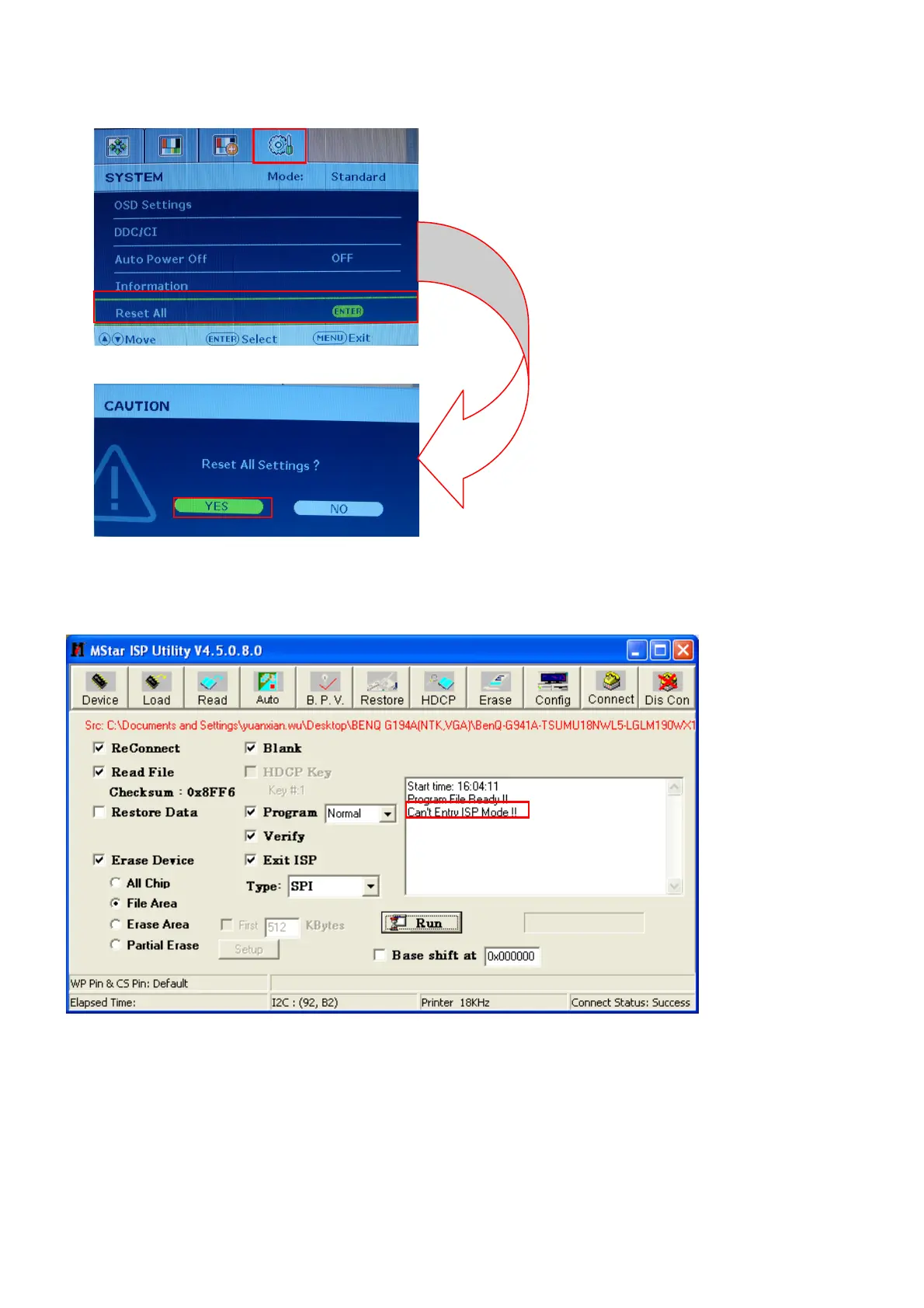
(3)If the version is right, please do factory reset in user menu as below, or re-upgrade F/W as the above steps.
The reset will turn off burn in mode.
6. Troubleshooting.
6.1. Can’t Entry ISP Mode!!
The methods:
(1) Check the cables and ISP JIG are connected fluently.
(2) Click the “Dis Con” and click “Connect” again.
(3) AC off the monitor for a while and retry it.
(4) Change advanced ISP tool.
(5)Change ISP JIG or cable.
(6)Change PC.


 To Next Page