27
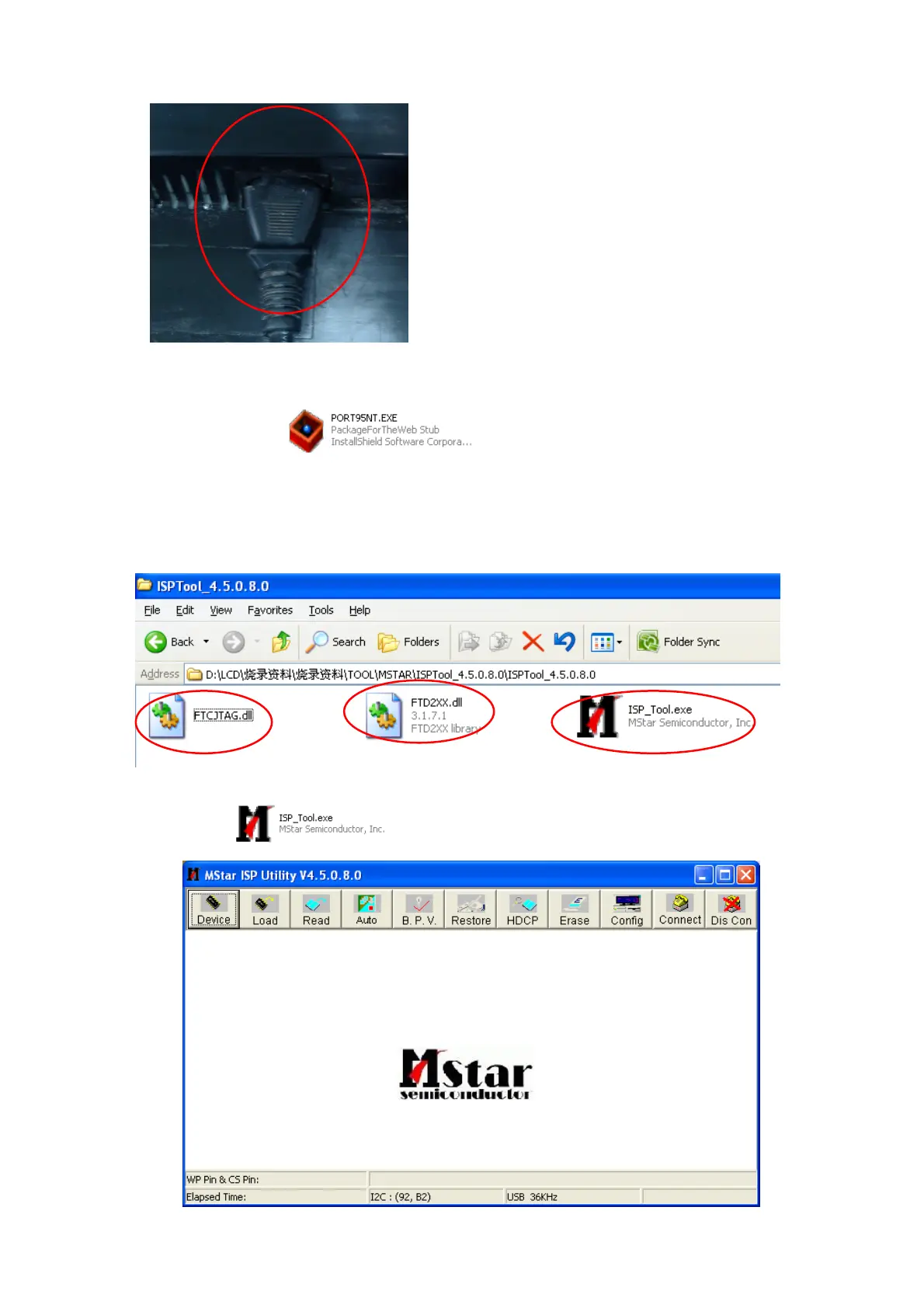
2.1. Monitor AC ON as fig2.
Fig2
3. Install LPT driver.
3.1. Double click the icon
to install the driver.
3.2. Restart your PC after the LPT driver installation.
4. Install the ISP tool and run it.
4.1. Copy these three files to one folder as fig3 if you use the latest version tool.
Fig3
4.2. Double-click
to run the program as figure4.
Fig4



 To Next Page