12
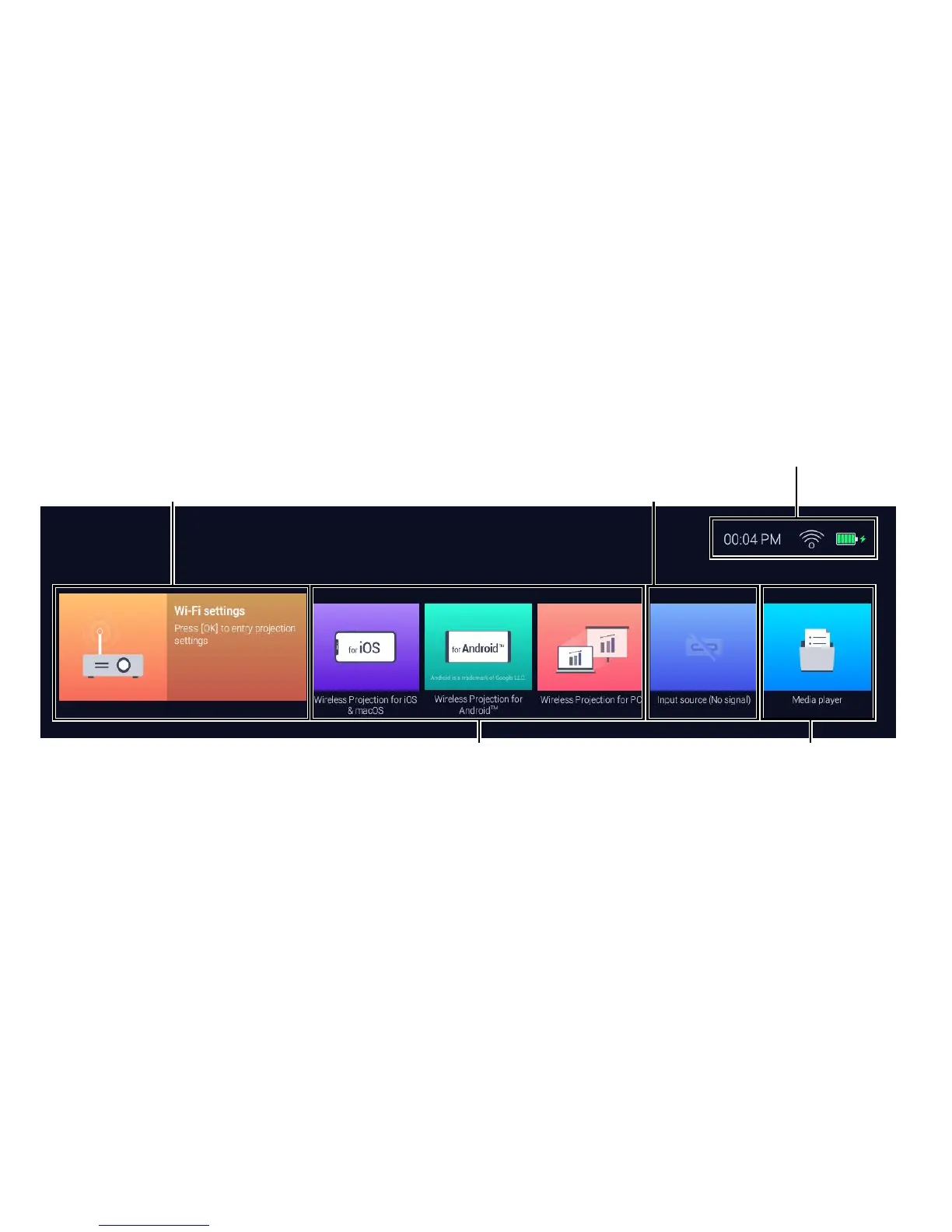
BenQ Launcher Home Page
Media Player
Displays the media les
from a device connected
via USB-C™
Input Source
Displays the current device
connected via USB-C™ (devices
with DisplayPort functionality can
project via the connection)
BenQ Startup Icon
Displays the wireless status or what
devices are wirelessly connected to the
projector
Status Bar
Shows date, time, wireless
and battery status
Wireless Projection for iOS and macOS
- Projects wirelessly via iOS or Mac OS
Wireless Projection for Android™
Wireless Projection for PC
- Projects wirelessly via Android™
- Projects wirelessly via PC
* : Keep at least 60% of battery (3 bars on the battery status icon) to ensure successful OTA update.


 To Next Page